With last week’s release of Codex 5.3 and Opus 4.6, I had a new experience: an LLM showed itself to be a better programmer than I am. If you’ve seen my code, you may not think that’s a big achievement. But for the first time I saw, practically, how an AI could outperform me at something I take some measure of pride in. It was like Google’s Nano Banana Pro moment, but for coding.
Unlike my previous experiences with LLM coding, Codex 5.3 didn’t just have more familiarity with the syntax of a language or the functionality of a module; it solved an architectural problem better than I did. (It reused existing file artifacts instead of creating intermediate files.) Likely it had pulled the architectural pattern from somewhere else, but it was an elegant solution—superior to the workable-but-basic approach I’d been planning. In that instant, I felt like the future had arrived in a small way: it was better at this task than I was, not just faster at it.
LLMs have let me compress weeks of coding work into a few days. For the Bible Passage Reference Parser, I normally follow a six-month release schedule because changes take a lot of time, especially big refactoring changes like I’ve been planning for the next version (which moves language data to a different repo and adds an additional 2,000 languages). I’d been dreading this work for years because, with so many languages, dealing with exceptions would consume the bulk of the coding effort. I could barely manage exceptions with the 40 languages in the current repo, so adding 50x more didn’t sound fun.
However, Codex 5.3 made short work of the task, taking a few minutes to accomplish what would’ve taken me days of dedicated work, not that I’d ever be able to dedicate days straight to this project. I published the latest branch five months ahead of schedule (and remember, the schedule is six months long).
These models still make mistakes; you can’t yet let them code unattended. But their ability to plan ahead and write code according to that plan is now (at least sometimes) stronger than mine. A year ago, converting the reference-parser code from Coffeescript to Typescript involved a bunch of back-and-forth with ChatGPT; even with a straight 1:1 conversion, it still made questionable decisions that I corrected. With the latest models, LLMs are now correcting my questionable decisions.
In 2018, I wrote about using terrain-generation software to make historical maps, with synthetic coloring to generate what look like satellite photos with modern features removed (cities, roads, agriculture, etc.).
This post expands on the earlier one, creating synthetic satellite coloring at scale. When combined with the hillshading and vegetation techniques I discussed recently, it produces credible synthetic map backgrounds down to scales of about 1:125,000 (30m per pixel). With higher-resolution hillshades and vegetation data, it’s credible to about 10m per pixel.
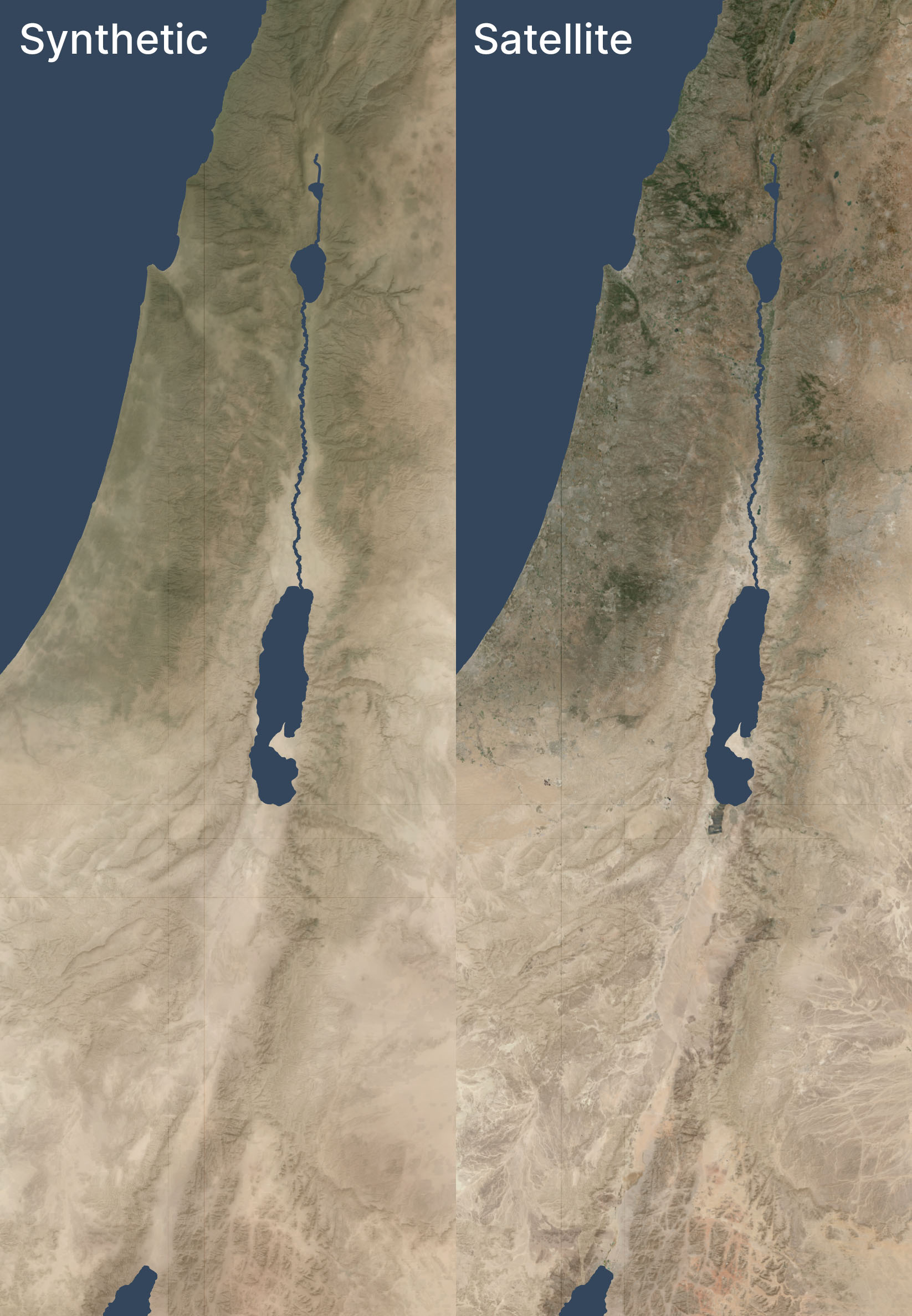
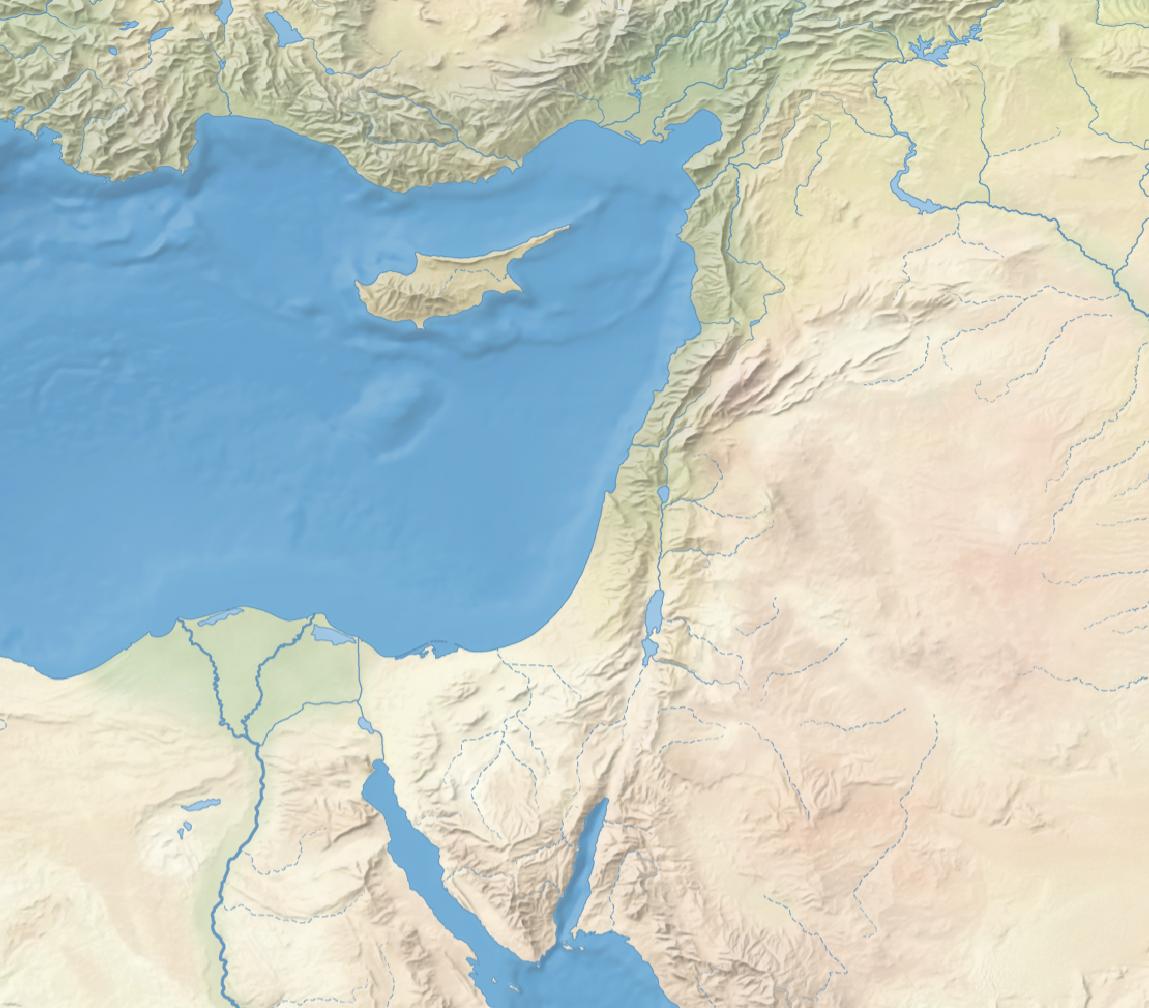
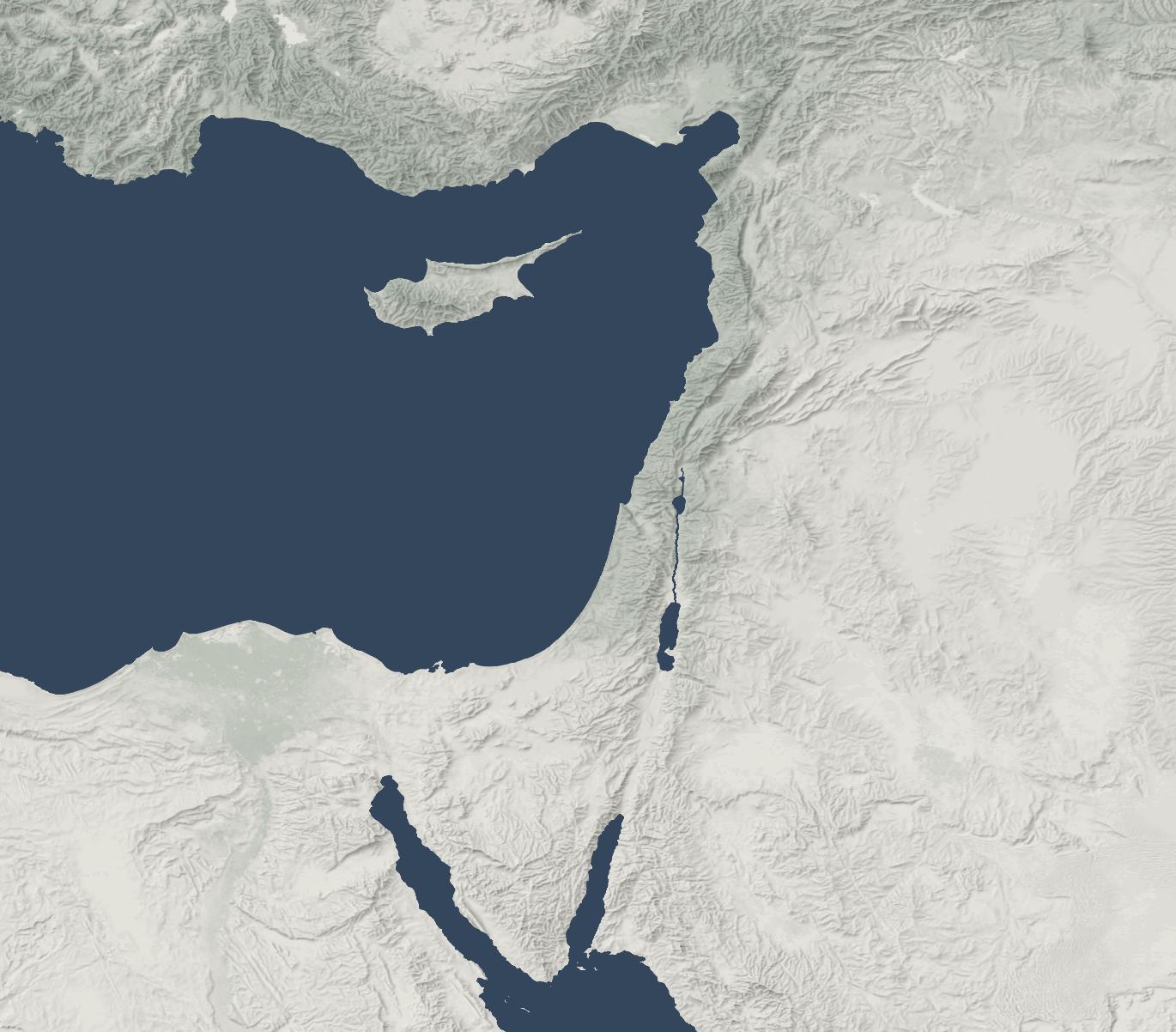
Here’s an example of this technique used in a zoomed-out view, compared to a satellite view of the same area. Both views have hillshading and vegetation layers added.
I don't know why there are some random vertical and horizontal lines that look like graticules. They only show up when I export from QGIS.
The synthetic and satellite views look pretty close; the synthetic view depicts a more idealized view of the terrain with fewer drainage lines (note especially the southeastern corner) and less extreme color variations (for example, the orange area in the south, east of the Red Sea, is visible but less intense).
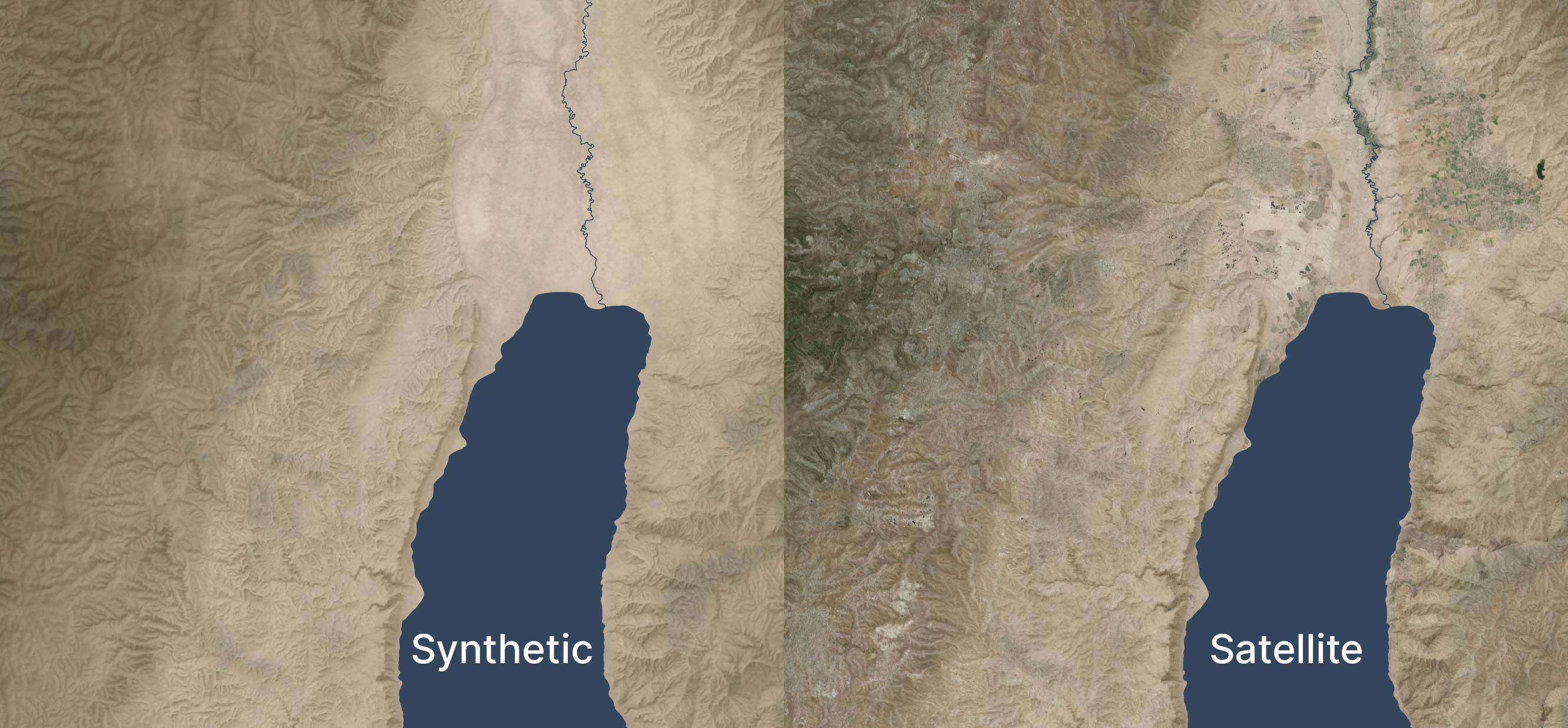
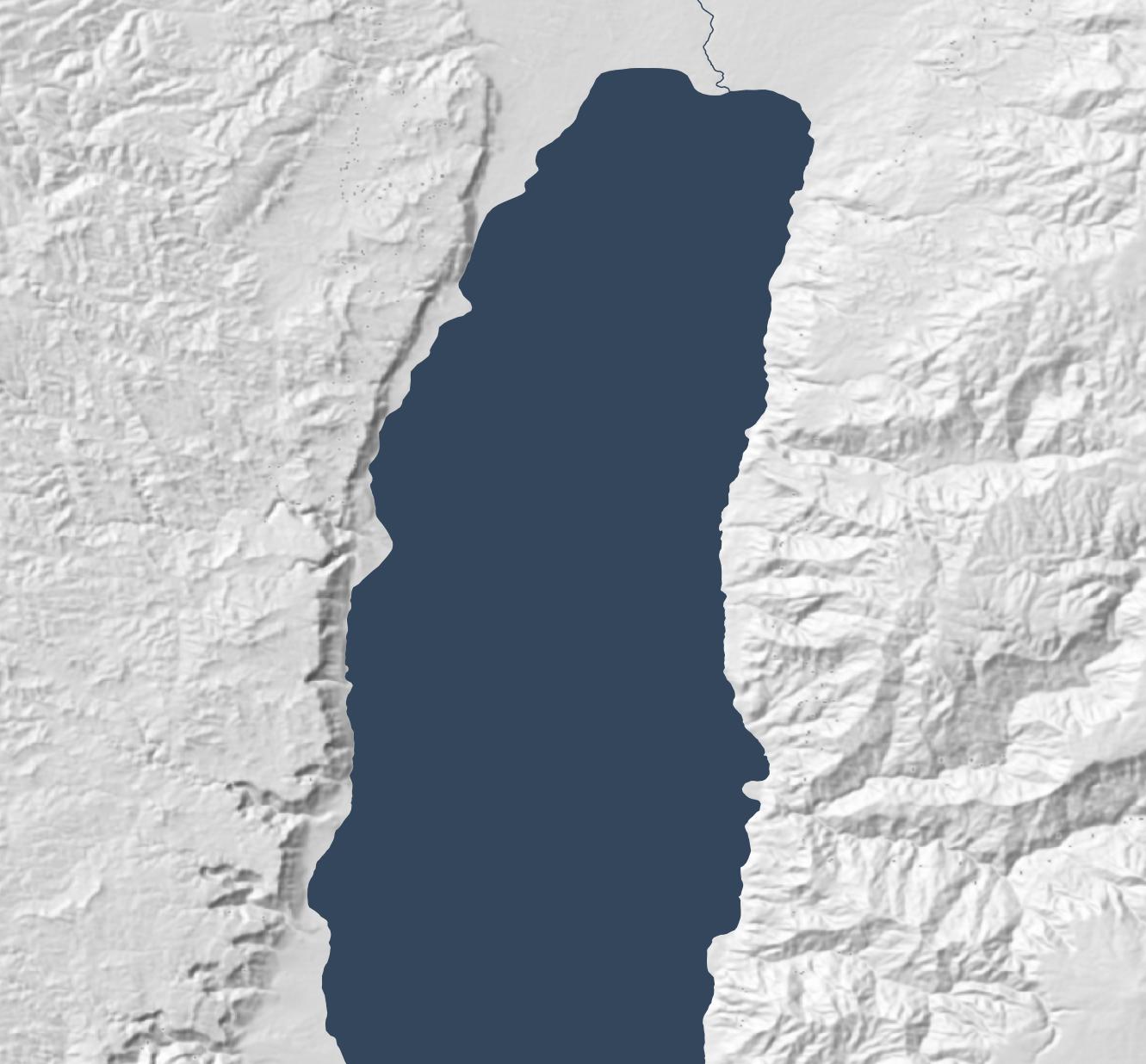
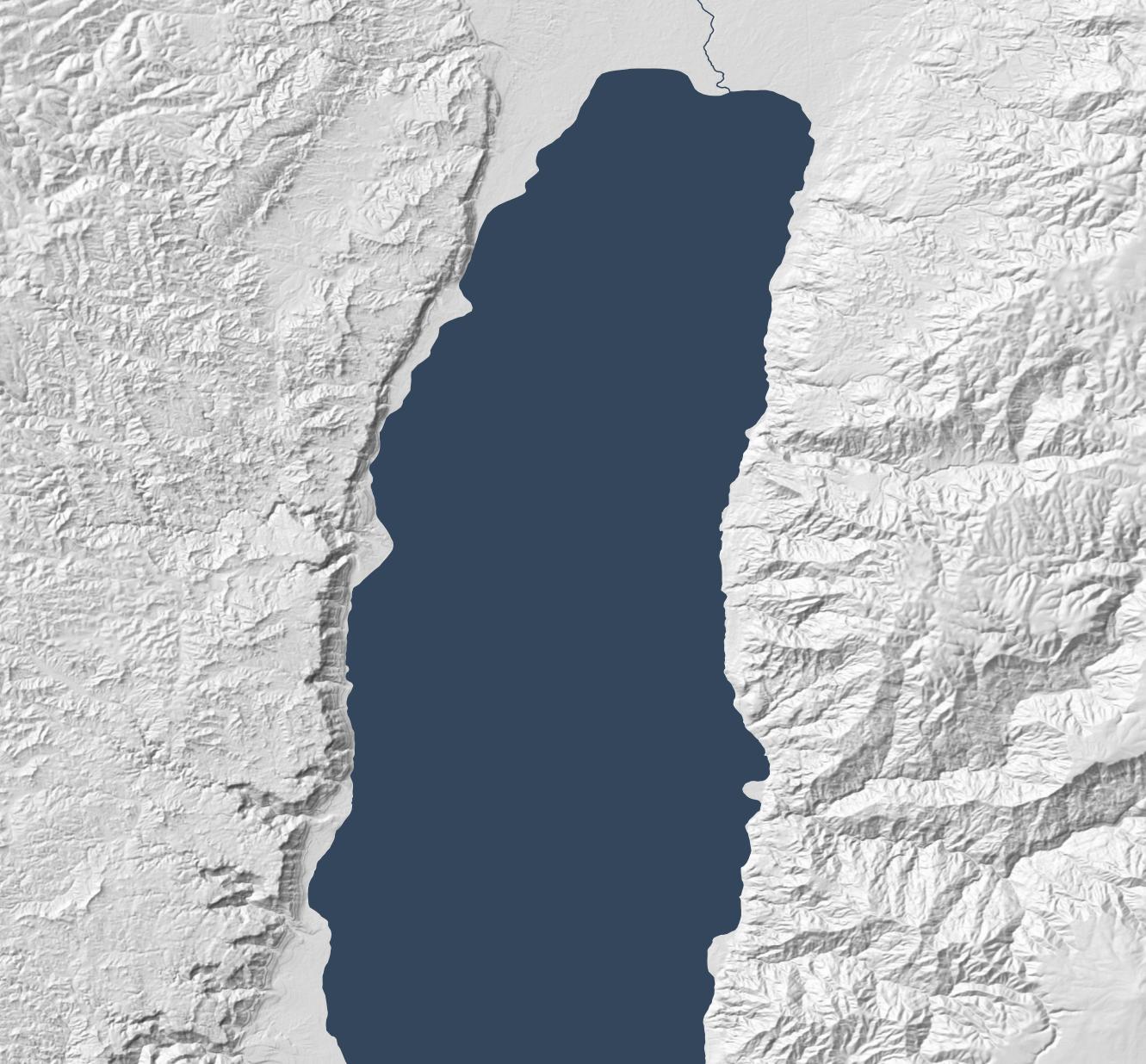
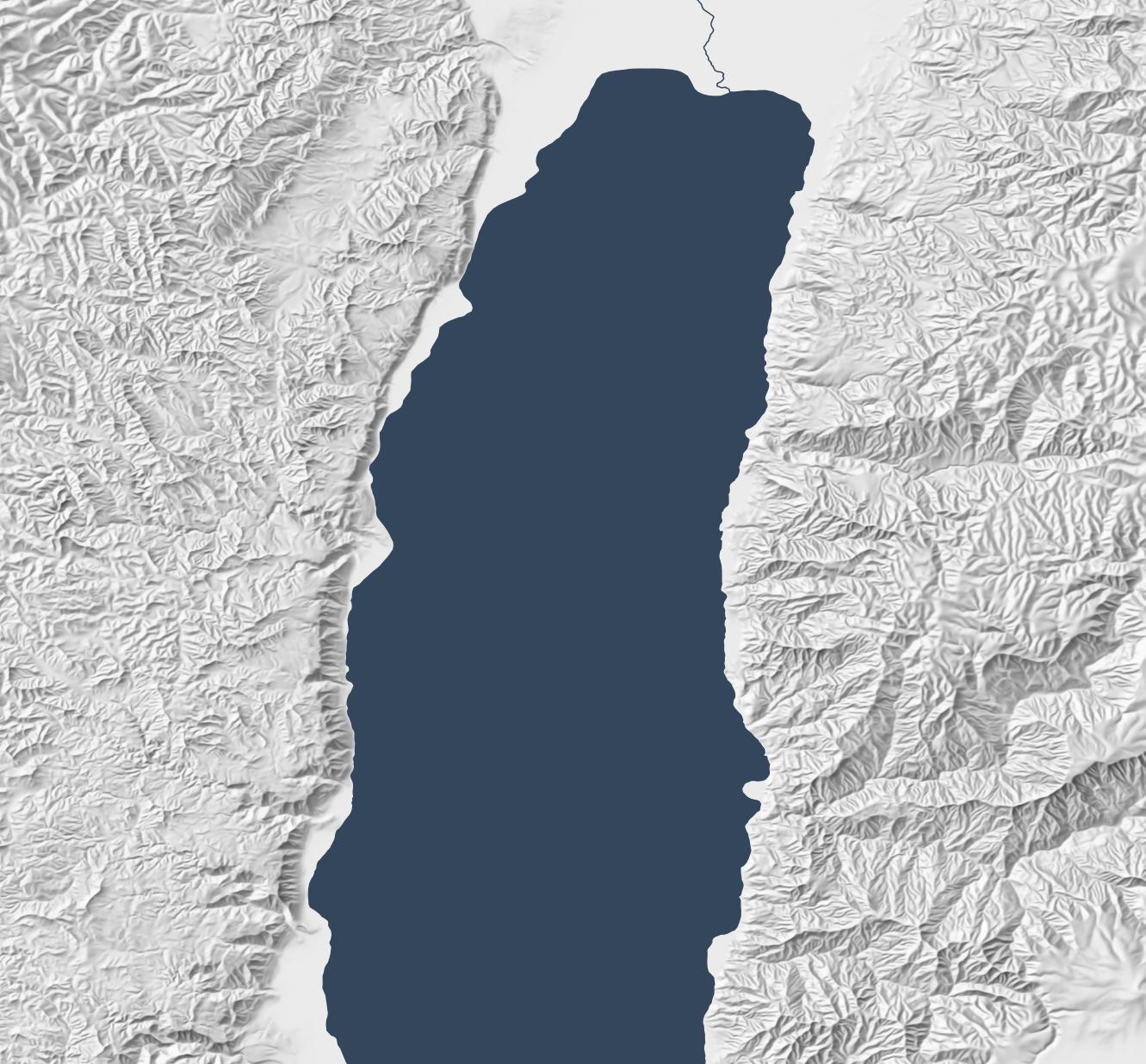
Here’s a zoomed-in area (1:250,000 scale) near the Dead Sea, again overlaid with hillshading and vegetation:
Zoomed in, the colors feel too uniform to me. There’s a decent amount of detailing when you zoom in even further, but it doesn’t read at this scale. I’m OK with it appearing a bit more maplike here because the color variations aren’t necessarily significant; I don’t want to distract viewers with unimportant detail. But I could maybe draw out the highlights a bit more.
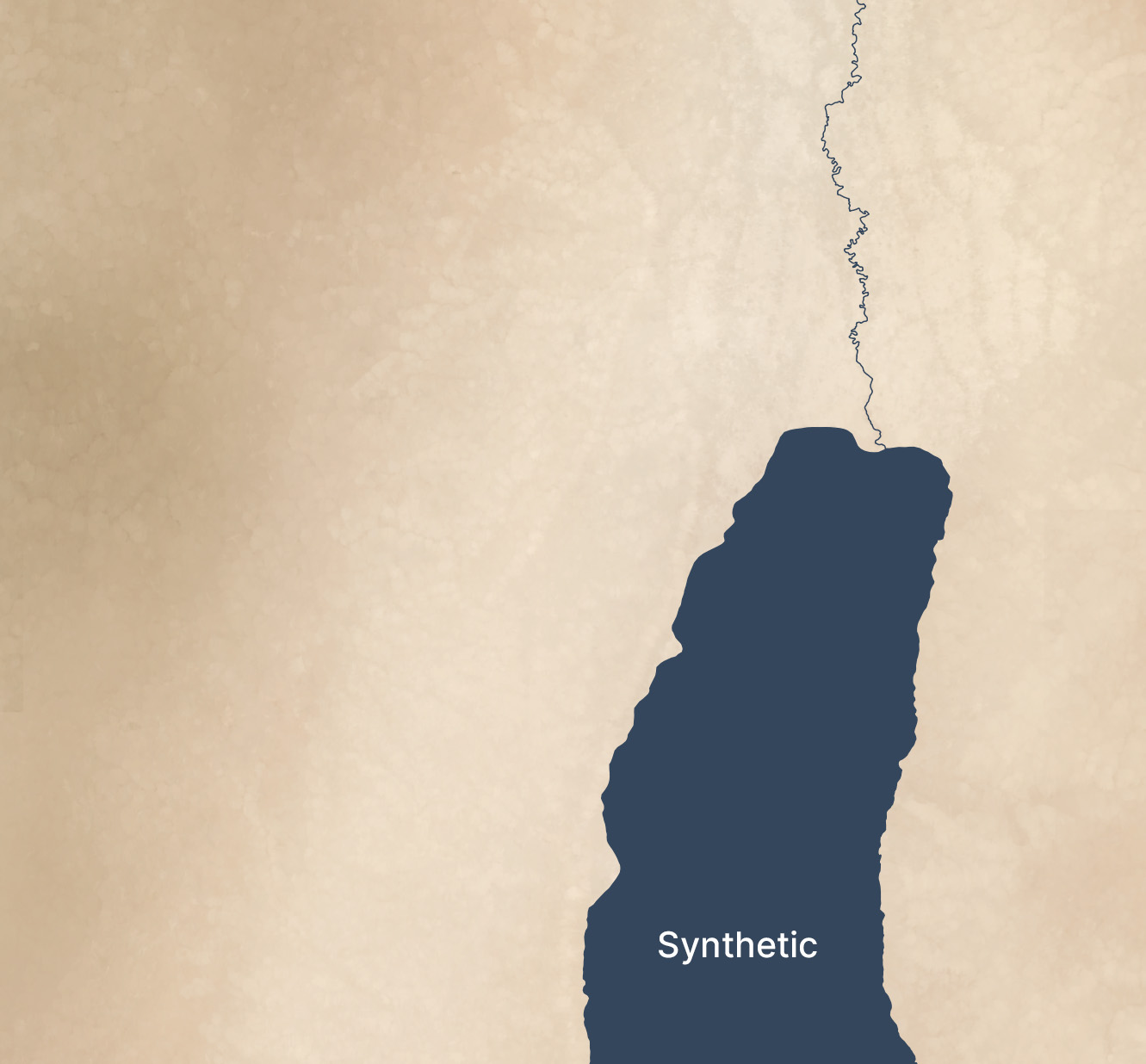
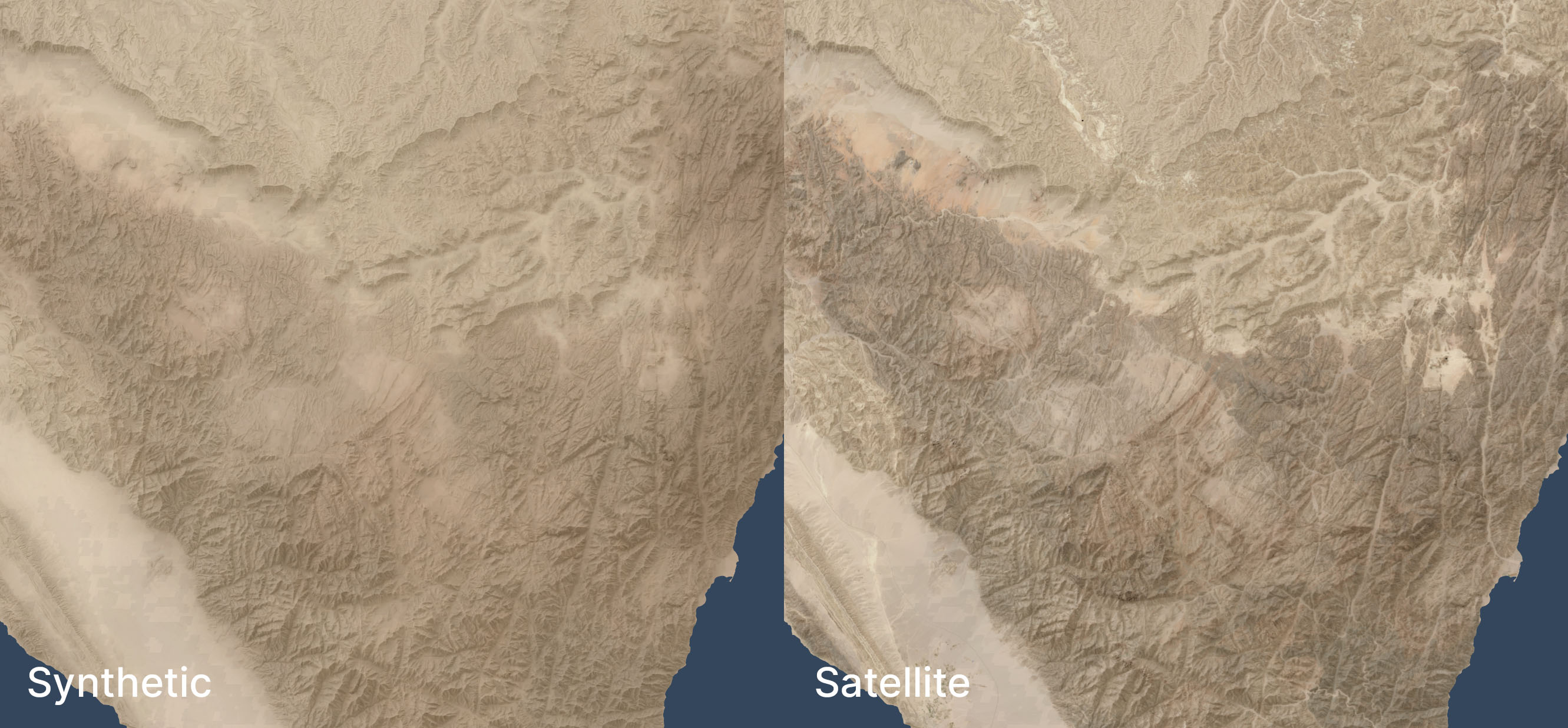
See the third and fourth images in this post for an even-more-zoomed-in view.
Methodology
Acquire medium-resolution satellite reflectance data for the area in question. I used 10m Sentinel-2 data I had from 2021's Bible Atlas project. This data came from from Sentinel Hub, but today I might use an annual or quarterly mosaic from Copernicus. NASA's 30m Harmonized Landsat-Sentinel data is another potential data source.
Mask any pixels with modern development or forest cover using the Global Land Cover dataset from the University of Maryland (2020).
Create an 8,192x8,192-pixel tile of the desired area.
Blur the tile to fill in missing pixels and prevent any remaining modern pixels from leaking into the image.
Create an elevation tile of the same area (normalizing the elevation values to 0-1). I used GEDTM30.
Pull the colors and elevation into Gaea 2 (a terrain-generation app) and use the Color Erosion tool to create plausible color flows to add detail. This process took about ten minutes per tile on my PC.
Add geodata to Gaea 2's output.
Move onto the next tile, with a 1,024-pixel overlap to allow smoothing between tiles.
This method automates well; I used it to generate fake satellite data at 10m resolution for 400,000 square kilometers. It’s designed to be overlaid with hillshading and vegetation, not stand on its own.
If you’d like to recreate it, here’s an AI-generated overview of the pipeline and my Gaea 2 file (if you use it, you’ll likely want to adjust the file paths).
Limitations
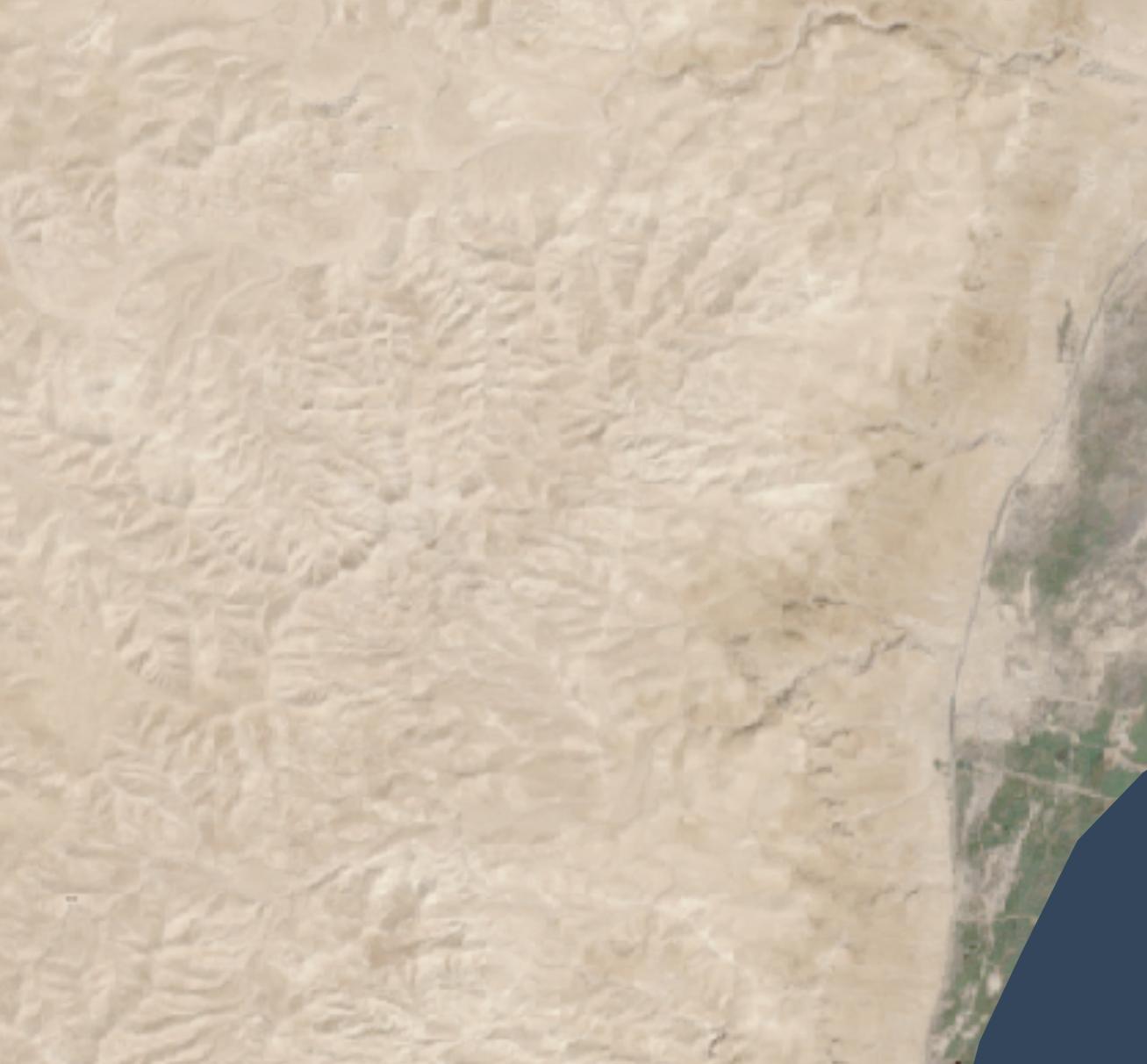
Tiles with a lot of development and agriculture have a cloudy look thanks to the blurring and the smaller number of valid pixels to work with. The west side of the below image (which excludes hillshading and vegetation), where urban Jerusalem is located, has an indistinct feel to it. The hillshading and vegetation cover up this haziness in the final image, but some of it does leak through.
In mountainous areas, not all the color depth is preserved. The below satellite view of part of the Sinai peninsula shows darker tones in the mountains and more contrast in the drainage areas, compared to the synthetic view. The orange area in the northwest also shows up better in the satellite view. When compared side-by-side, the synthetic view feels like a render, lacking some heft.
I didn’t try this technique outside my area of interest, so it may not apply to other, less-arid biomes.
Conclusion
This method is a decently scalable way to generate realistic-looking synthetic satellite views. The result holds up well from scales of 1:1,000,000 (though at that scale, I’d just use Natural Earth II plus vegetation) down to scales of 1:125,000 or so. For historical mapping (such as for Bible maps), it recreates a plausible (but stylized) view of how the terrain might have looked in the past, before modern urban infrastructure. It gives a modern feel to a view of the past.
Since 2015, three major hillshading advances have allowed for more attractive but still accurate and efficient-to-create maps than before: advances in data, surfaces, and lighting.
(“Hillshading” means using shadow, light, and sometimes color to turn raw elevation data into something easily understandable by humans.)
Data advances: 30m digital elevation models
From 2003 through August 2015, 90m-per-pixel SRTM data was the best available resolution for the Middle East. Consequently, Bible atlases produced during this time have hillshading that looks something like the following, which is based on this data. (All the maps in this post show an area around the Dead Sea.)
NASA released 30m-per-pixel elevation data in 2015, which means 9x more resolution is available. Everything feels crisper, though the extra detail makes the larger structures harder to discern:
Surface advances: Eduard
The above hillshading style, called “Lambertian,” derives from the 1700s. It’s computationally inexpensive (an algorithm describes it in 1981, and it can run on 1992-era computer hardware) and produces a decent result. This algorithm remains popular today; the standard ArcGIS hillshade function takes essentially the same approach.
Lambertian hillshading appeals to a modern desire for precision and accuracy when compared to older, manual hillshading methods. Since an algorithm is producing the hillshade, the viewer should be able to have confidence that they’re seeing a true depiction of the world. 1992’s Hammond Atlas of the Worldwas the “first all-digital world atlas;” its introduction mentions “producing maps more accurately and more efficiently than ever before.”
In an AI era, however, we no longer have the luxury of believing that an algorithm neutrally presents reality. Algorithms shape us as much as we shape them. Lambertian hillshading presents a view of reality, but it’s not necessarily more “accurate” than manual hillshading; its purpose is to approximate pixel-level lighting, which is reflecting a computationally efficient point of view on what’s important to depict.
More practically, the main problem with Lambertian hillshading is that it “looks sort of like wrinkled tinfoil; full of sharp edges.” It’s busy, creating lots of detail while obscuring larger- and smaller-scale structures. So it’s accurate, but it doesn’t communicate well. By contrast, manual hillshading didn’t necessarily prioritize accuracy but emphasized helping the viewer understand the terrain’s structure. There are ways to make Lambertian hillshading read better (such as resolution bumping), but we now have better algorithms available.
Specifically, we have algorithms that mimic manual hillshading. Eduard (which I’ve mentioned previously) came out in 2022 and is specifically designed to recreate the look of twentieth-century Swiss cartographers, who “were widely regarded as preeminent in the development of printed maps that demonstrated a more naturalistic approach to relief portrayal.”
Eduard models surfaces better by addressing the question, “What form should the viewer see?” Rather than just modeling light (as Lambertian hillshading does), it employs multi-scale smoothing (suppressing noise compared to Lambertian’s pixel independence), a ridge/valley emphasis, and appropriate generalization to emphasize structure.
The below map, created with Eduard, uses the same 30m source DEM as the previous map but makes overall geomorphology clearer; small structures coalesce into larger ones, and ridges and valleys are clearer.
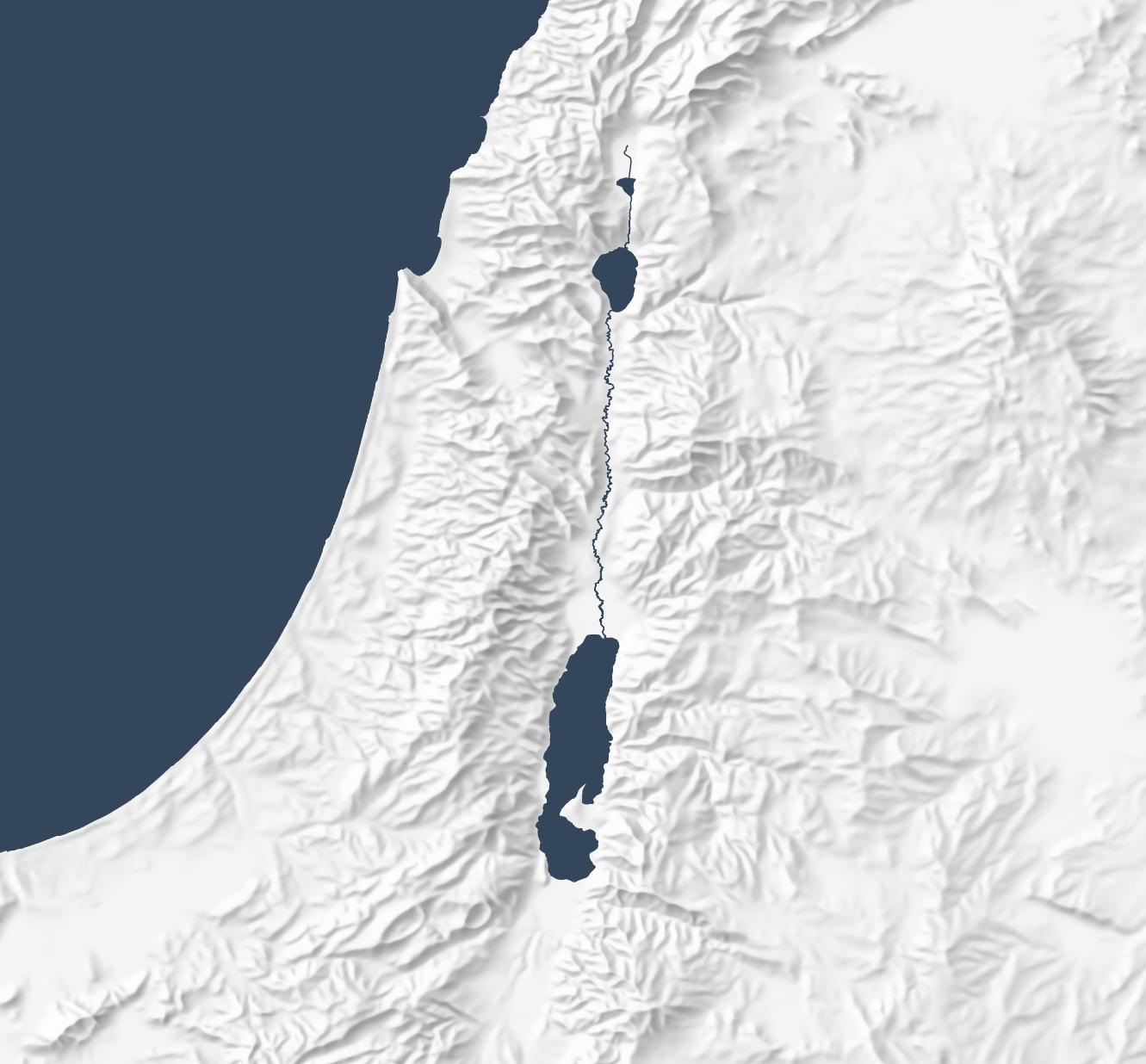
Eduard also generalizes well. The below map makes the overall structure of the Old Testament’s “Promised Land” clear, with coastal plains on the west moving into foothills, then into a central, hilly spine that gives way quickly to a rift valley with the Jordan River. This map preserves the large structures that allow the viewer to focus on the big picture.
Lighting advances: sky models
The final advance since 2015 involves the physics of rendering lighting. Daniel Huffman blogged about using Blender for shaded relief in 2013 and popularized it in a 2017 tutorial. This technique involves using 3D modeling software to produce more-realistic shadows than Lambertian shading does.
(ArcGIS introduced multidirectional hillshades in 2014, which is a refinement to the standard Lambertian approach but still creates an unnatural plastic effect to my eye. They also introduced several more hillshading tools in 2015.)
The below map uses the Sky Model in Terrain Shader Toolbox plugin for QGIS to produce a Blender-like effect using just shadows. (Check out this video for more background on this plugin.) The Sky Model creates 200 lighting snapshots from different angles and then combines them to produce a strong and dramatic shadowing effect. The Arnon gorge in the bottom right is clearly visible, as is the El Buqeia valley near the northwestern coast of the Dead Sea. It also captures the drama of gorges along the western coast of the Dead Sea.
Combining Approaches
The sky-model (or skybox) approach does have drawbacks; it compellingly preserves local features but doesn’t generalize them well. The best overall approach, in my opinion, is to combine 30m Eduard shading with the sky model, reducing their opacity so that they don’t overwhelm the landscape. This approach combines the generalizing features from Eduard with the detailed shadows from the sky model to produce an accurate, easy-to-understand hillshade:
Conclusion
Recent advances in data, surfaces, and lighting make hillshading from even ten years ago feel low resolution and computationally sterile. HIllshading from 1990 to 2020 fits into a historical era when “accuracy” and “efficiency” came to the forefront. It was based on the best data and techniques at the time, but new techniques allow us to move beyond Lambertian hillshading.
I expect that future Bible cartography will use these advances to produce attractive and understandable relief maps where the terrain depiction supports the map’s purpose, contributing to the map’s story without being distracting.
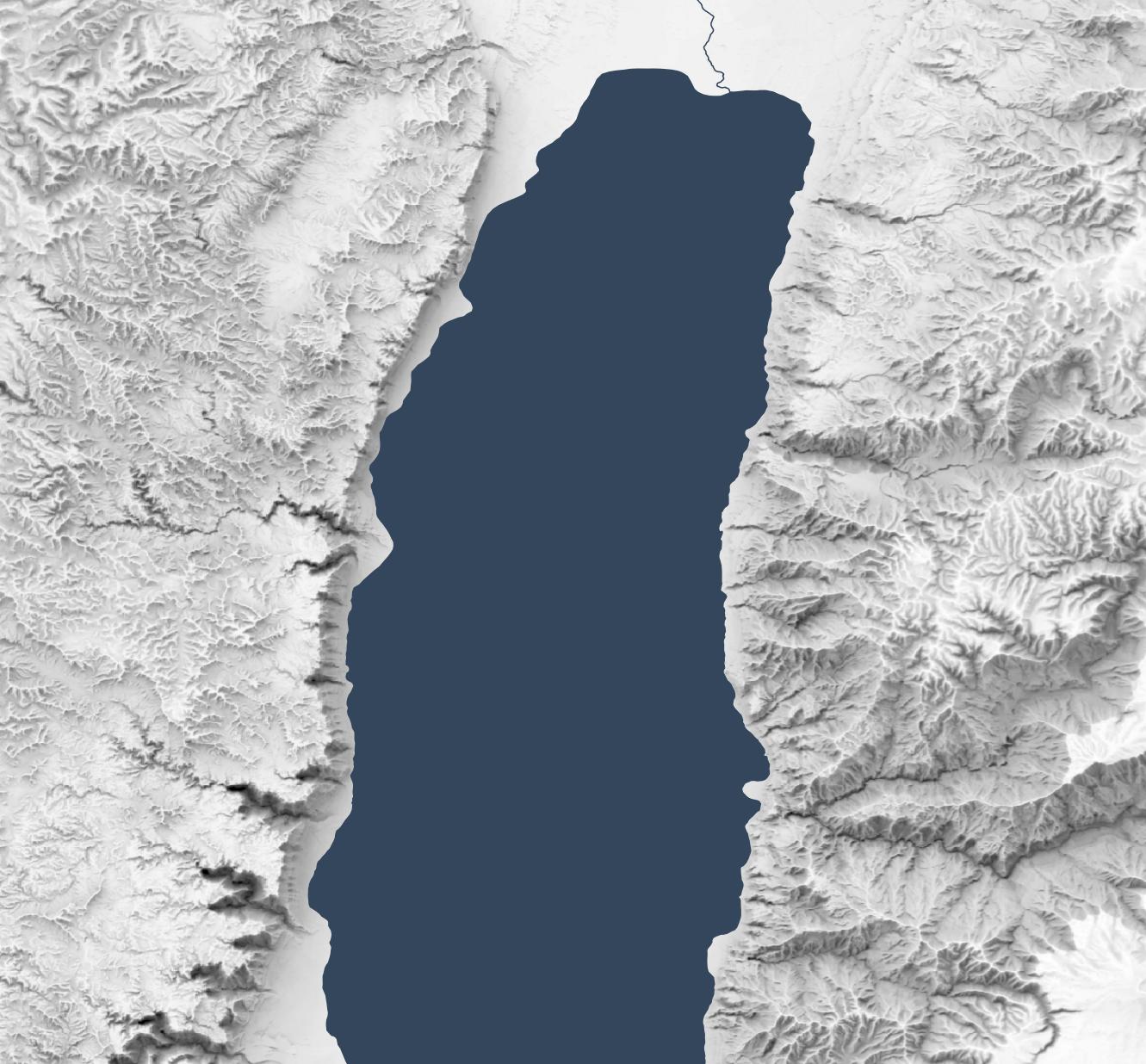
Let’s say you want a high-resolution (1.2 meters per pixel) hillshade like this one of cliffs and hills to the west of the Dead Sea:
1:13,000 scale
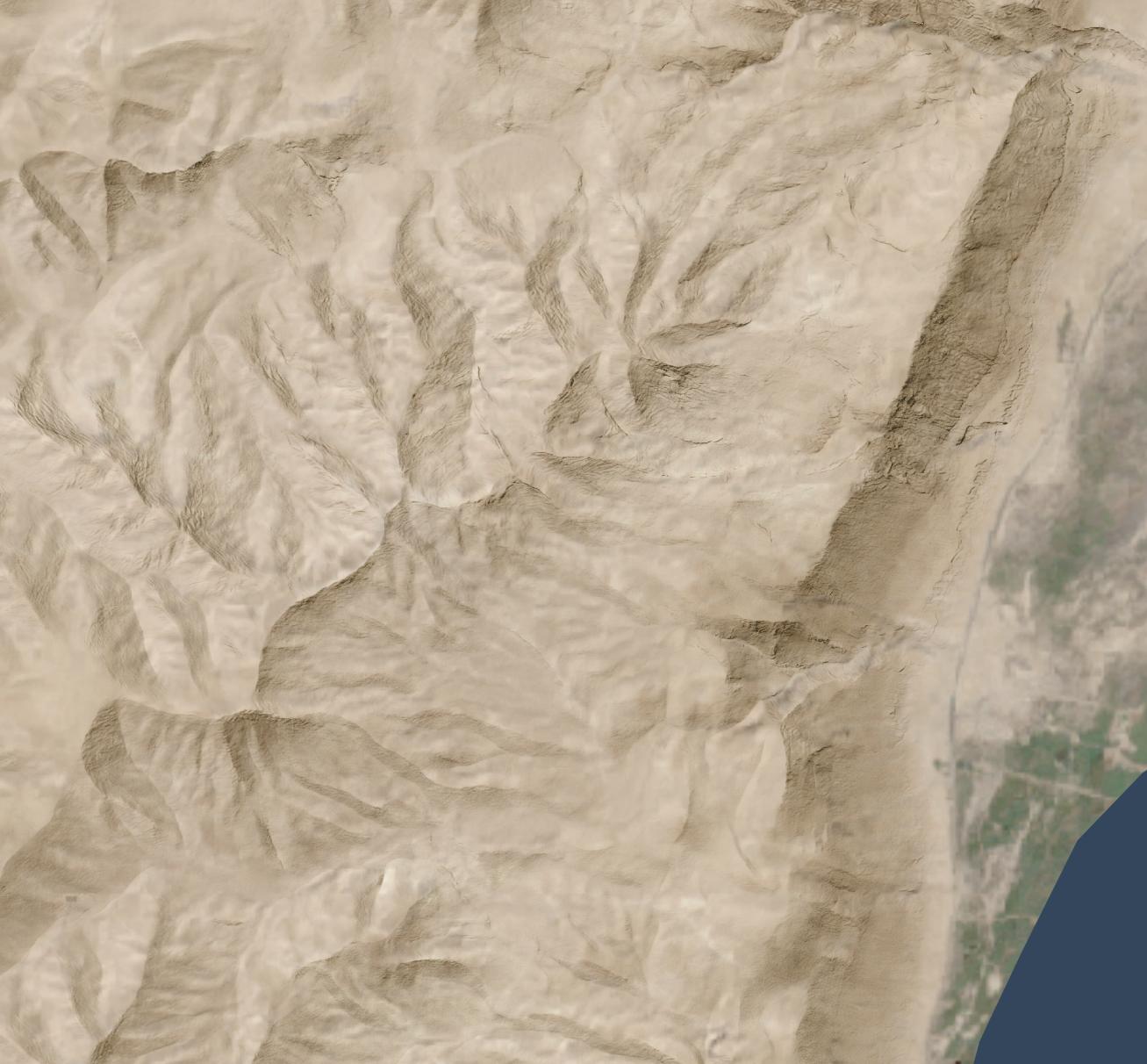
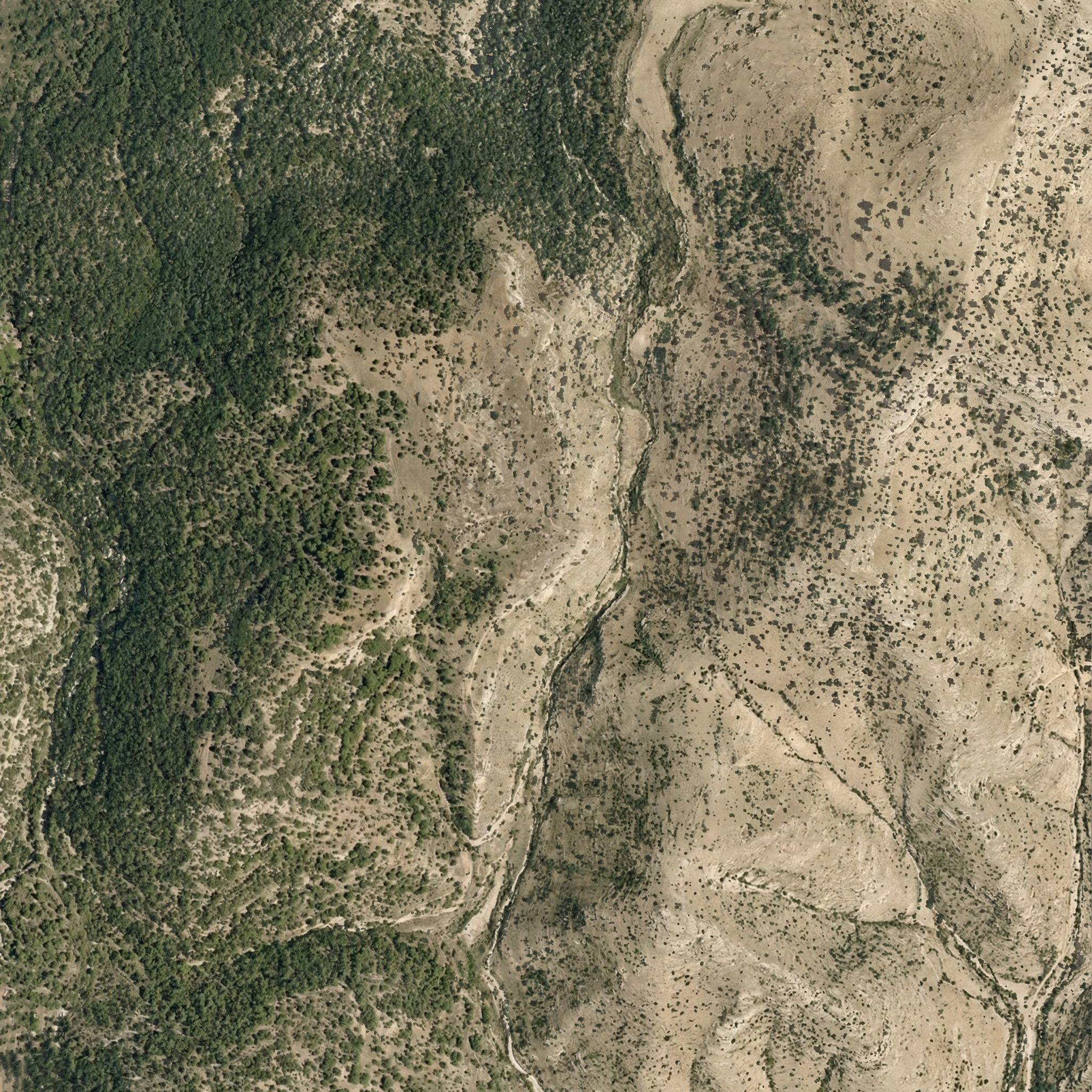
So that you can layer it over a satellite image (compare the original satellite image without hillshading added):
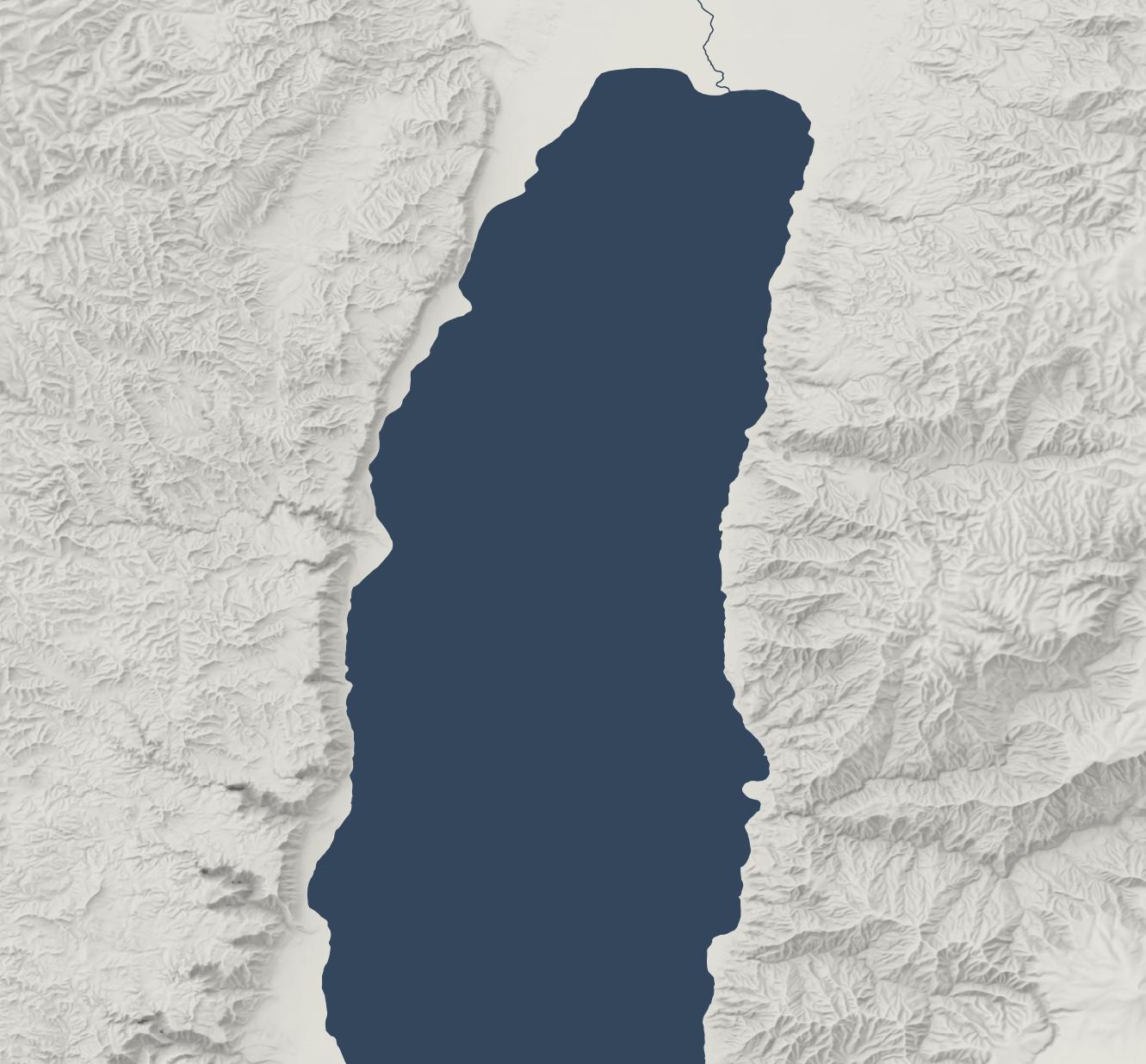
Or maybe over an idealized landscape with human features removed:
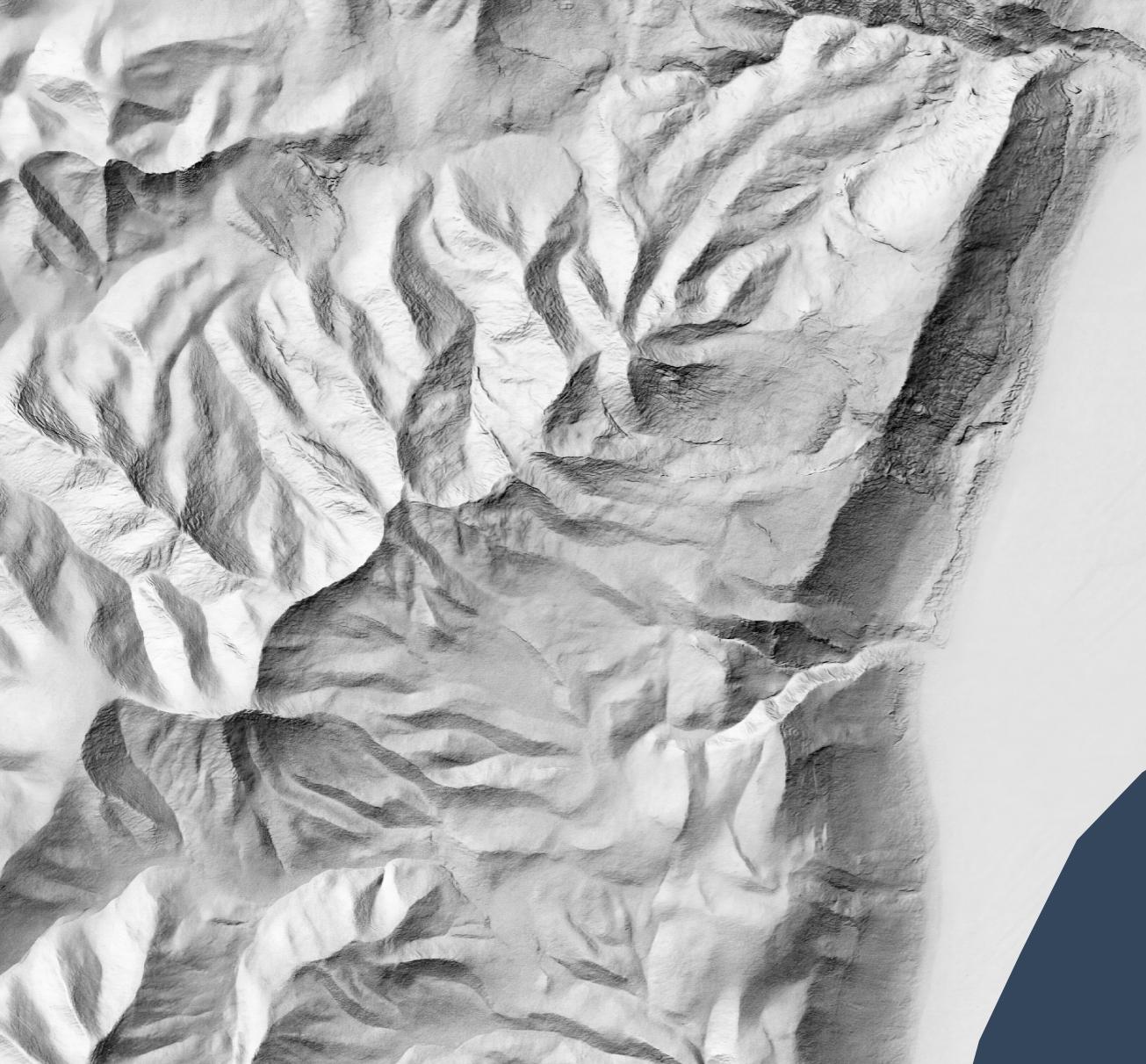
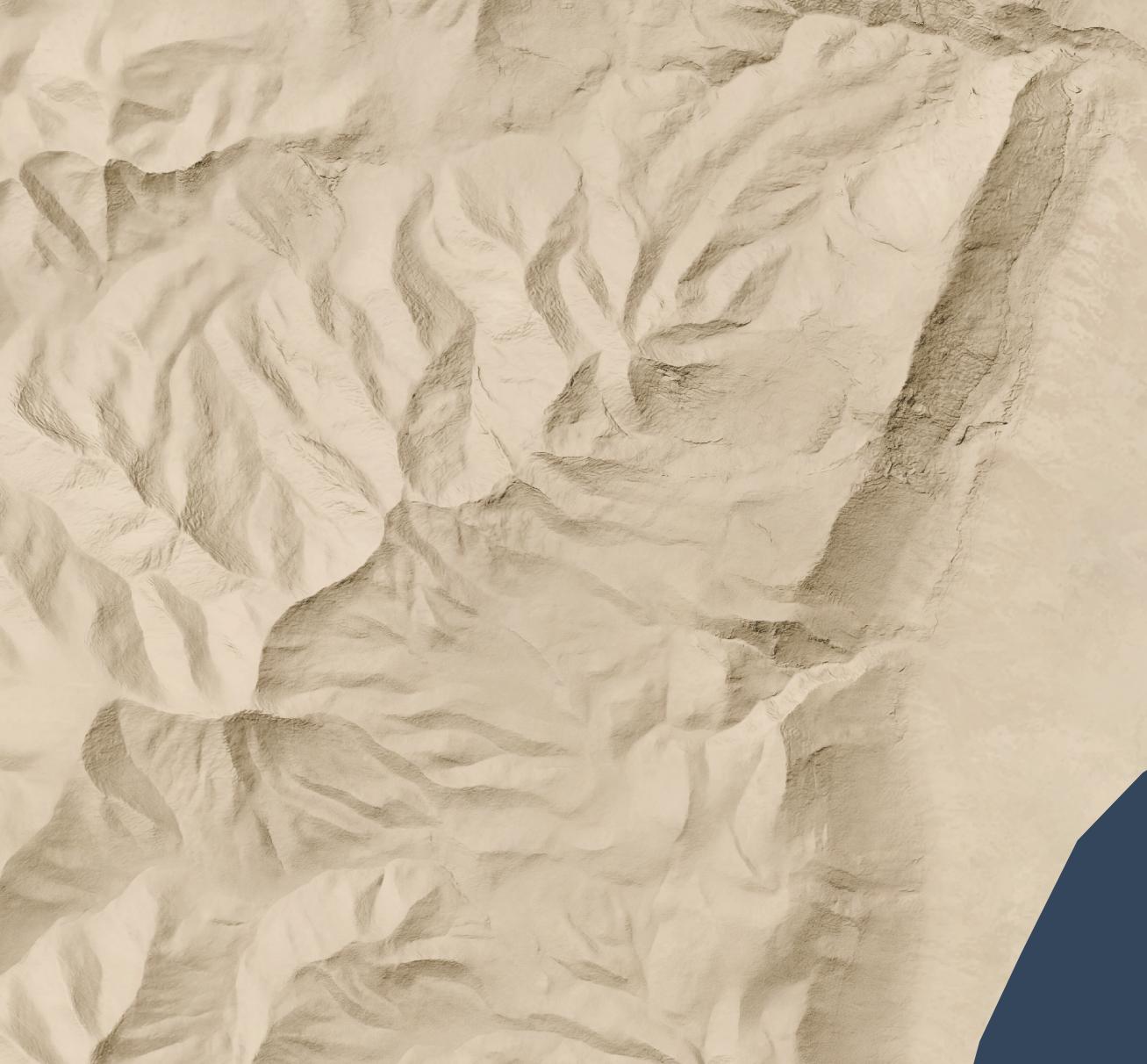
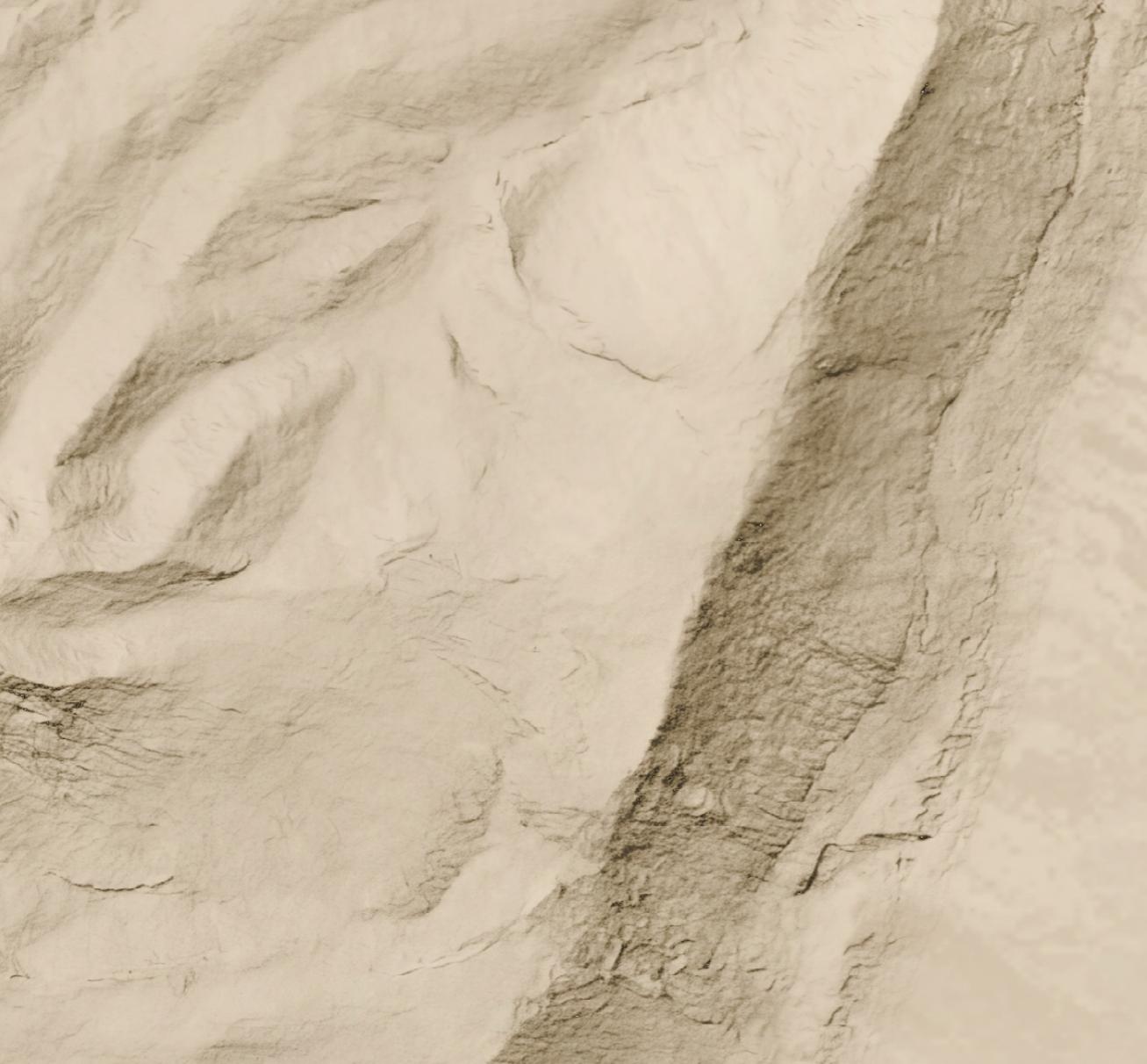
Here's a full-resolution view (1:5,000 scale) of part of the cliff area.
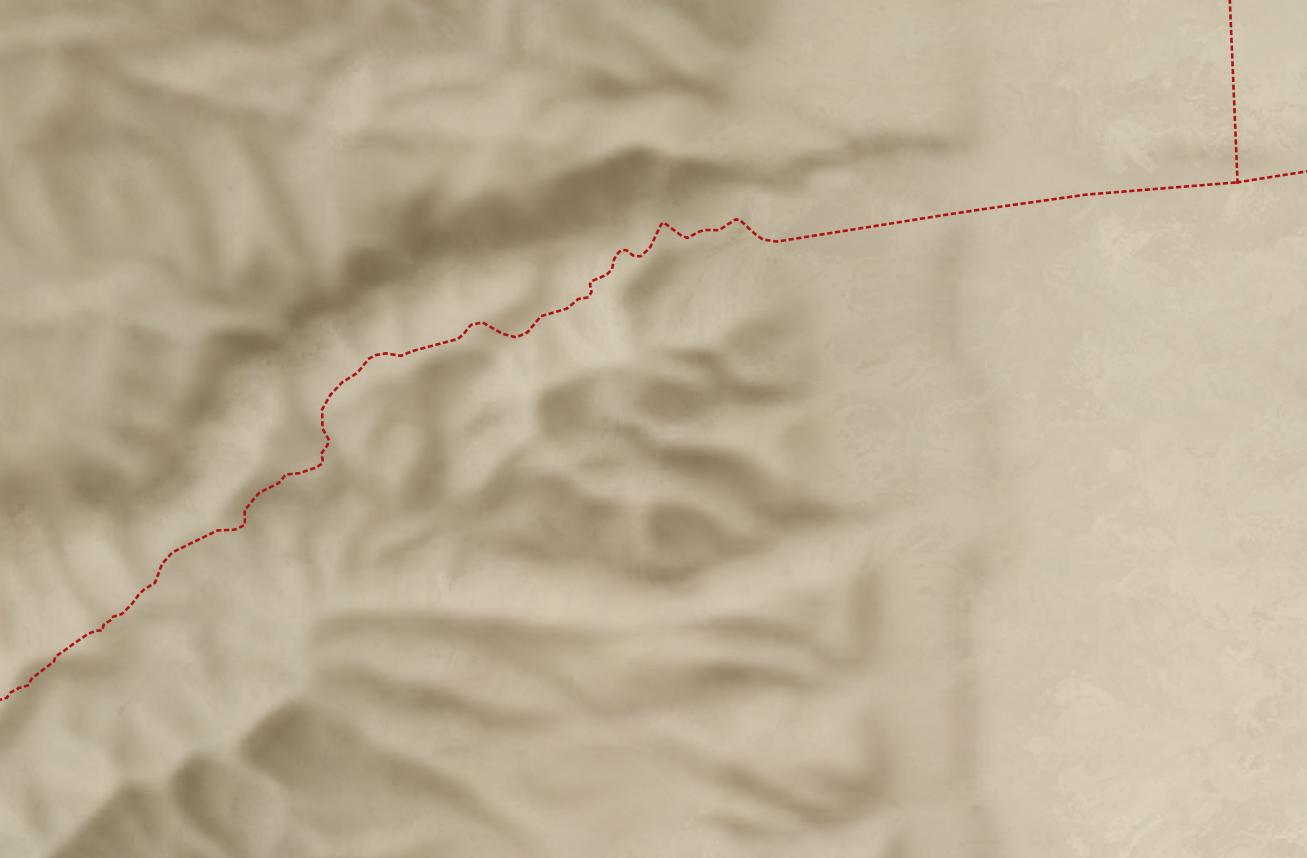
But all you have is a lower-resolution (30 meters per pixel) hillshade like this:
Nano Banana Pro can help you out, if you’re willing to accept that it’s making up all the details it’s adding to your lower-resolution hillshade and that your high-resolution hillshade looks nice but doesn’t necessarily reflect reality.
Here’s how I made the above hillshade and tiled it to cover about 3,000 square kilometers around Jerusalem.
Process
First, I used Eduard to create a 30m-per-pixel hillshade derived from the recent CC-BY-licensed GEDTM30. I gave the hillshade to Nano Banana Pro along with this prompt, repeating it a few times until I was satisfied with the result. I considered whether to go straight from the DEM to the final hillshade (which does actually work decently), but I wanted to take advantage of Eduard’s hillshading know-how. I also wasn’t confident that I could use the DEM for tiling.
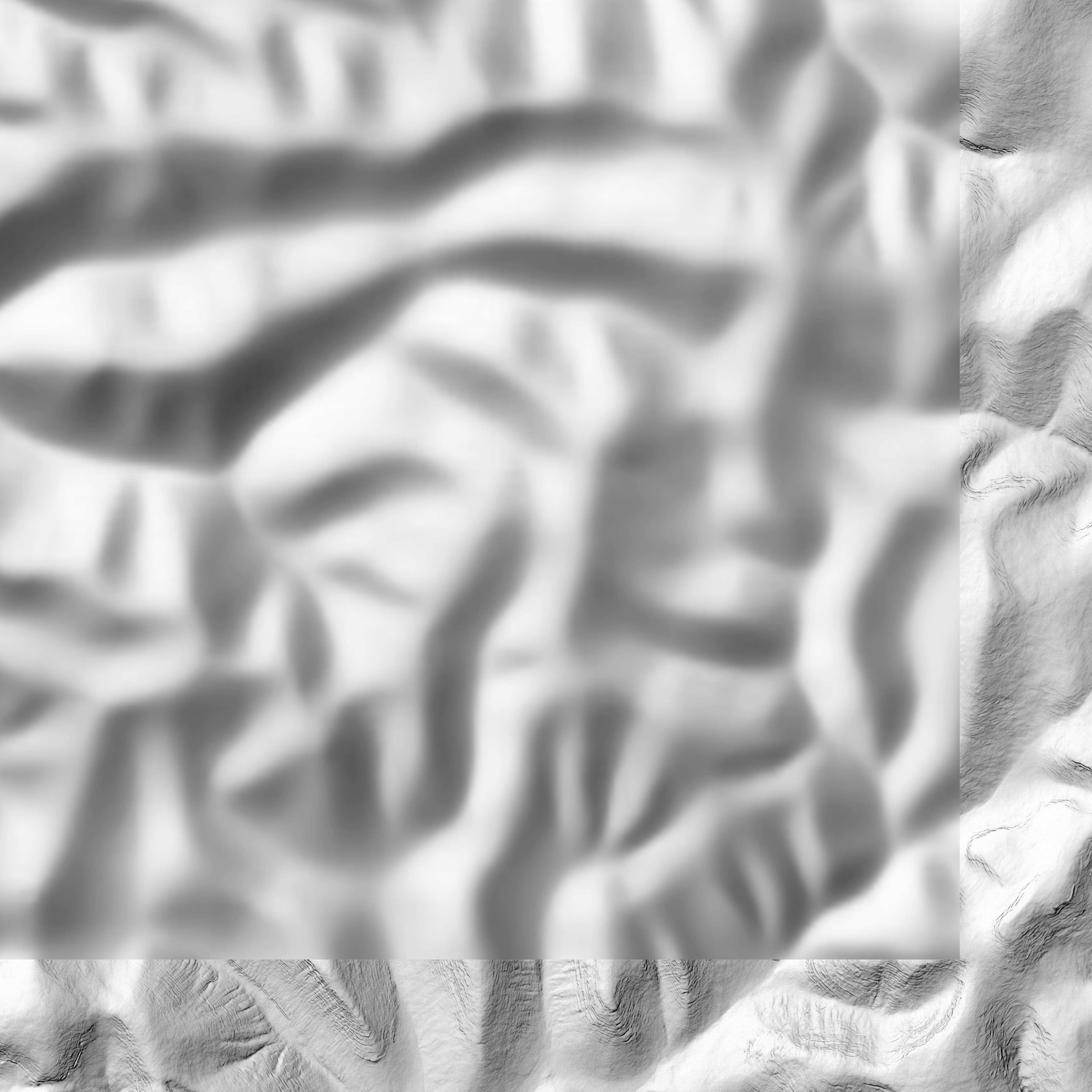
Once I had an initial tile, it was mostly a matter of creating tiles that extended from existing tiles. I ran Nano Banana Pro repeatedly with this prompt, overlapping each tile by 248 pixels for a 2K tile and 496 pixels for a 4K tile (about 25 square kilometers) to ensure that the style and luminosity were consistent between tiles. Here’s an example tile overlap with high-resolution hillshade on the right and bottom sides of the tile.
I did experience some style drift, however; the hillshades got fainter over time.
This process worked great for hilly terrain; I almost never had to regenerate a tile.
For terrain with large flat areas, however, this process fell apart quickly. It often took several tries, plus adjusting the amount of overlap between tiles, to get a usable result. Typically, Nano Banana Pro wouldn’t match the luminosity of the surrounding tiles, or it would add distracting detail to the flat area. It was possible to get a decent result, but it required lots of human attention and tinkering—in other words, it wasn’t an automated process like the hilly terrain was.
If you look hard enough, you can find some tiling artifacts in flat areas (and a few in hilly areas). In practice, these tiling artifacts won’t be visible to map viewers since you’re likely draping the hillshade over some kind of background and reducing the opacity or increasing the gamma to keep the hillshade from overwhelming the viewer.
I didn’t use Photoshop on any of these tiles (though I did sometimes run a histogram match between the source tile and the result tile), but I probably would need to if I were to create more tiles for flat areas.
Results
In all, I created hillshades for about 3,000 square kilometers around Jerusalem, spending US$70 on Nano Banana Pro (2.3 cents per square kilometer, or 6 cents per square mile). That cost includes a lot of experimentation; at scale, with a mix of hilly and flat areas, the all-in cost is about 1.8 cents per square kilometer.
This area represents about 15% of the area of the full extent of ancient Israel (“Dan to Beersheba”), which means it would cost around $500 to create a full set of tiles. I stopped tiling when I exhausted my budget for this project (and my patience for regenerating flat areas).
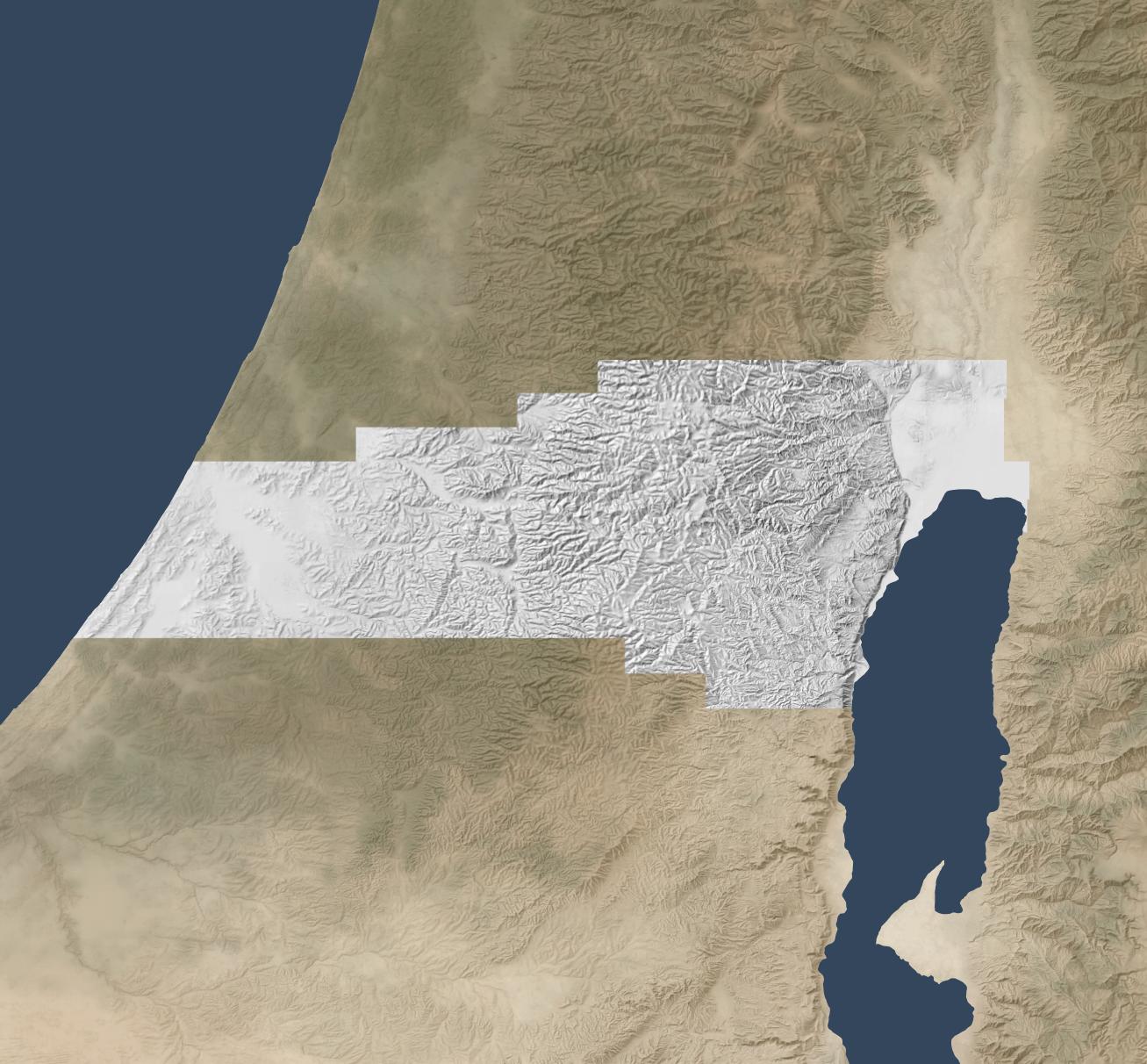
Here’s the coverage area:
Discussion
As noted above, the resulting hillshade is plausible but fake—there’s no way any process can turn a 30m hillshade into a 1.2m hillshade and reflect reality.
Whether you want to use this method depends on your application. If you’re creating a fantasy map, you’re already two steps removed from reality, so this method can add some extra realism to your map. If you’re doing historical mapping, you’re one step removed from reality, as climate, landforms, and landcover have shifted over time.
This method shines where you’re pushing past the detail available in the lower-resolution hillshade and want to provide a crisper experience without presenting all the detail that’s available in the higher-resolution hillshade. The Good Samaritan images below show where I think this method works especially well.
The hillshade quality is pretty good. In general, the results are hydrologically consistent (rivers drain in the correct direction). It also captures the traditional hillshade look exceptionally well, in my opinion, and this process scales well in hilly terrain. The limiting factor in hilly terrain is cost, whereas the limiting factor in flat terrain is the time involved to revise tiles. In flat areas, it might make sense to retain the lower-resolution hillshade or to use a different super-resolution method.
In principle, it would be possible to create a model similar to Eduard’s U-Net approach that could go from low-resolution to high-resolution hillshades without involving Nano Banana Pro. I’m skeptical that it would handle drainage properly, but the bigger barrier is that Google’s terms of service preclude creating such a model.
Conclusion
To give you a practical application, here’s a closeup of the road from Jericho (where the two roads intersect on the right) to Jerusalem (which is off-map to the left). This road reflects the setting of the Good Samaritan story. Everything on the high-resolution map feels crisper and clearer thanks to imaginary AI detail.
First the lower-resolution map:
And then the higher-resolution map:
The source 30m hillshade and derived 1.2m hillshade are both available here for your use. You’ll probably want a GIS tool like QGIS to work with them; you won’t be able to just use them as-is in Google Earth.
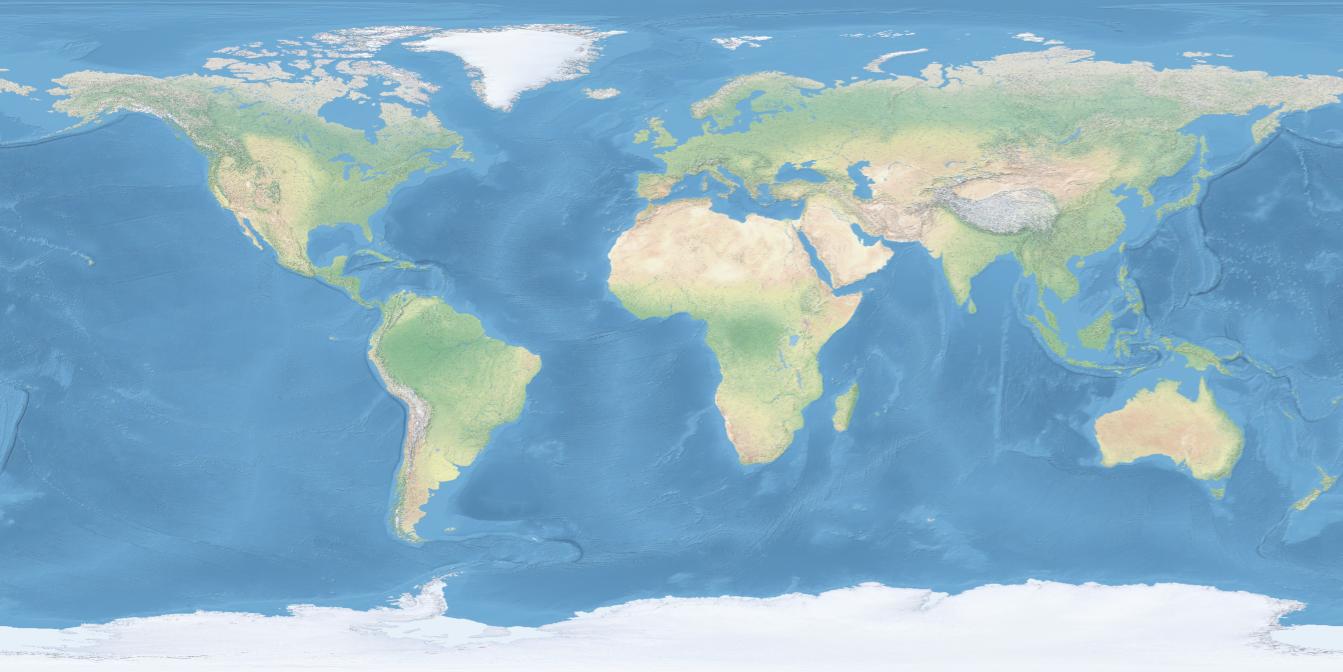
If you’re using free Natural Earth rasters as a base layer for your historical cartography needs (and why wouldn’t you be?), you might find it helpful to add an extra layer of vegetation to create more consistency with satellite views:
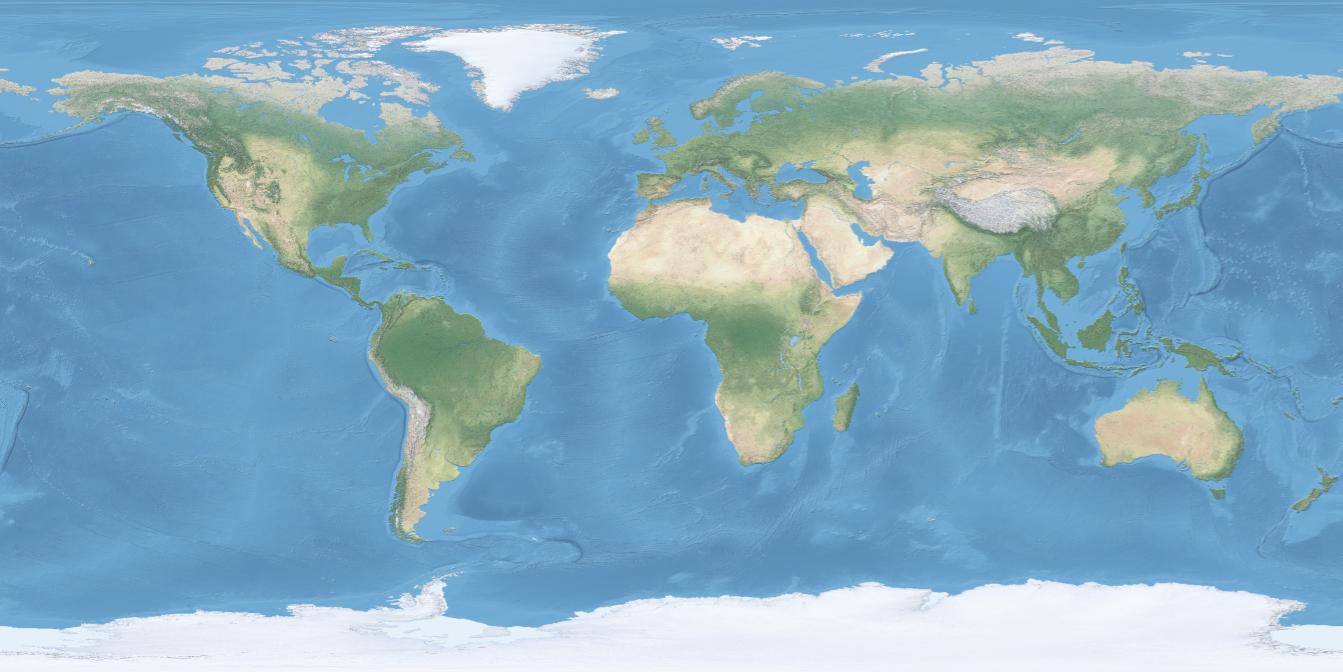
Here’s the original Natural Earth 2, where you can see that vegetated areas are much lighter-toned:
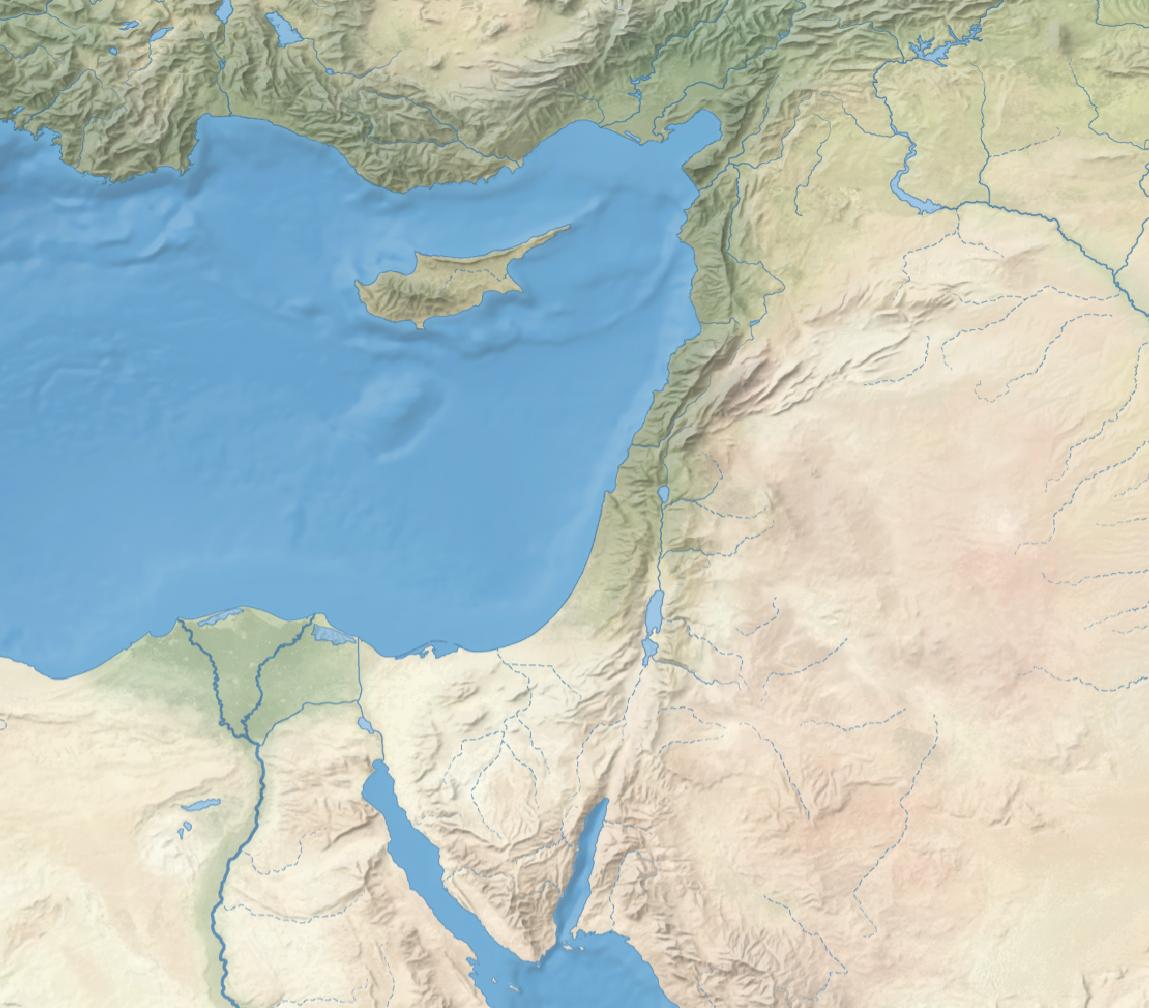
Vegetation also punches up a regional view by adding realistic coloring. Note especially the darker areas along the eastern and northern Mediterranean coast:
Compared to the original:
Even on more-minimalist maps, vegetation can convey information without adding distracting detail. For example, here’s water, hillshading, and vegetation on a neutral background:
Try it yourself
The vegetation data in the above maps is derived from a 2023 article in Nature that plots idealized vegetation coverage.
In the above maps, I converted the data to an 8-bit grayscale and then applied this color ramp to the layer in QGIS.
Why potential vegetation
Instead of showing current vegetation cover, which reflects modern, human-induced changes to the environment (such as deforestation and irrigated agriculture), these maps show what the vegetation coverage might be without humans. While the landscape in biblical times was hardly untouched by humans, such changes were much smaller-scale than they are today. This type of view helps recreate a version of the natural world that’s closer to what biblical writers experienced.
Natural Earth 2 provides a good basemap for historical mapping because it aspires to present a less-developed earth: for “historical maps before the modern era and the explosive growth of human population, [potential natural vegetation maps] more accurately reflect what the landscape actually looked like. The Mediterranean region at the time of the Phoenicians was more verdant than today.”
More-detailed vegetation alters the character of the Natural Earth maps somewhat by elevating vegetation over other biome indicators. It doesn’t preserve as strongly the distinction between the different kinds of forests (tropical, temperate, and northern) that Natural Earth 2 makes. For historical maps, these changes mean that the adjusted maps feel more in line with satellite imagery.
Depending on your map’s purpose, you may find that presenting vegetation this way tells a clearer story to the viewer.
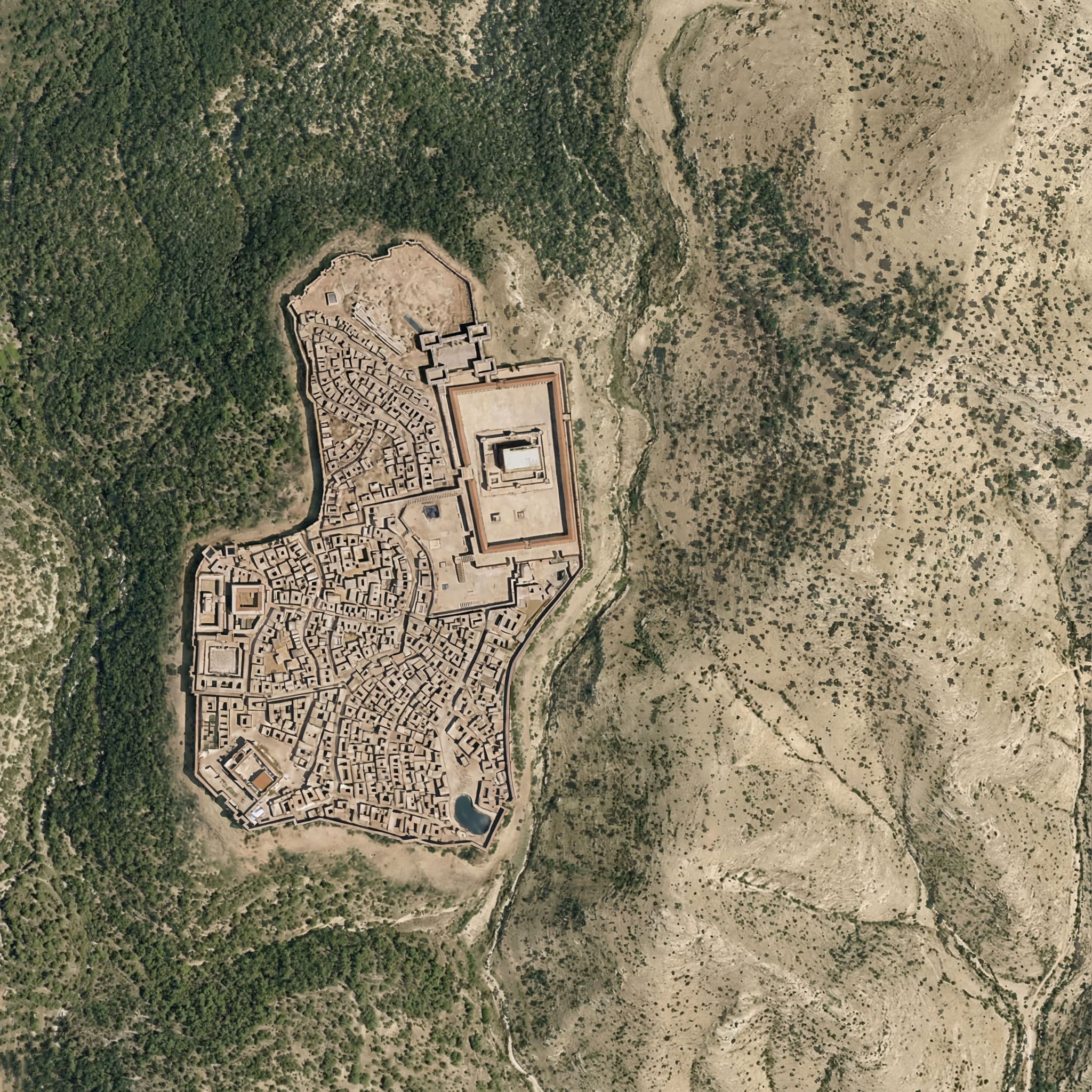
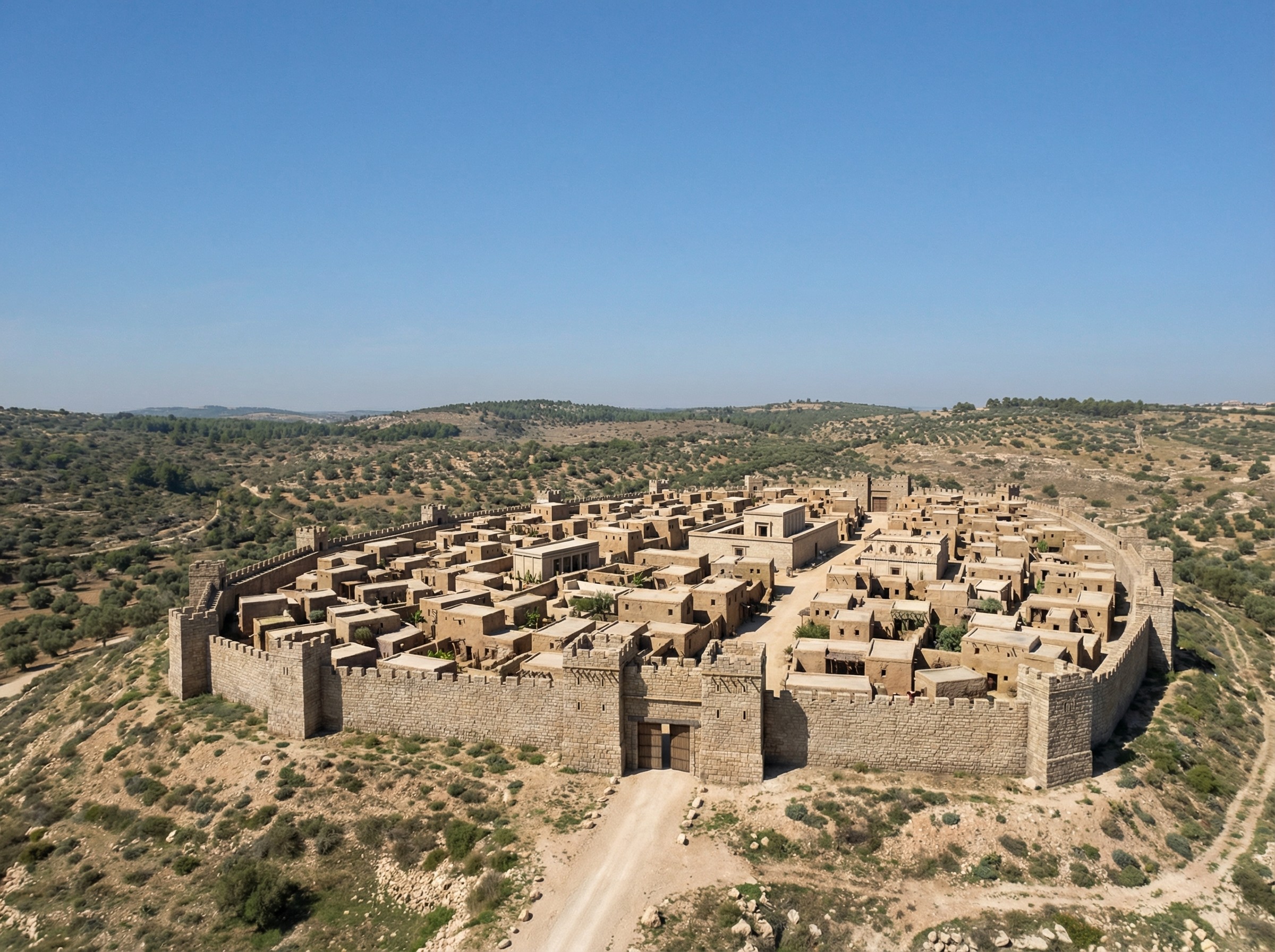
If you’re wondering whether Nano Banana Pro can credibly integrate a view of Roman-era Jerusalem into the rewilded landscape from the last post, the answer is yes. I appreciate how the above image even cleared some of the area around the walls, as you’d expect from history. The structures inside the city walls are mostly too large, however.
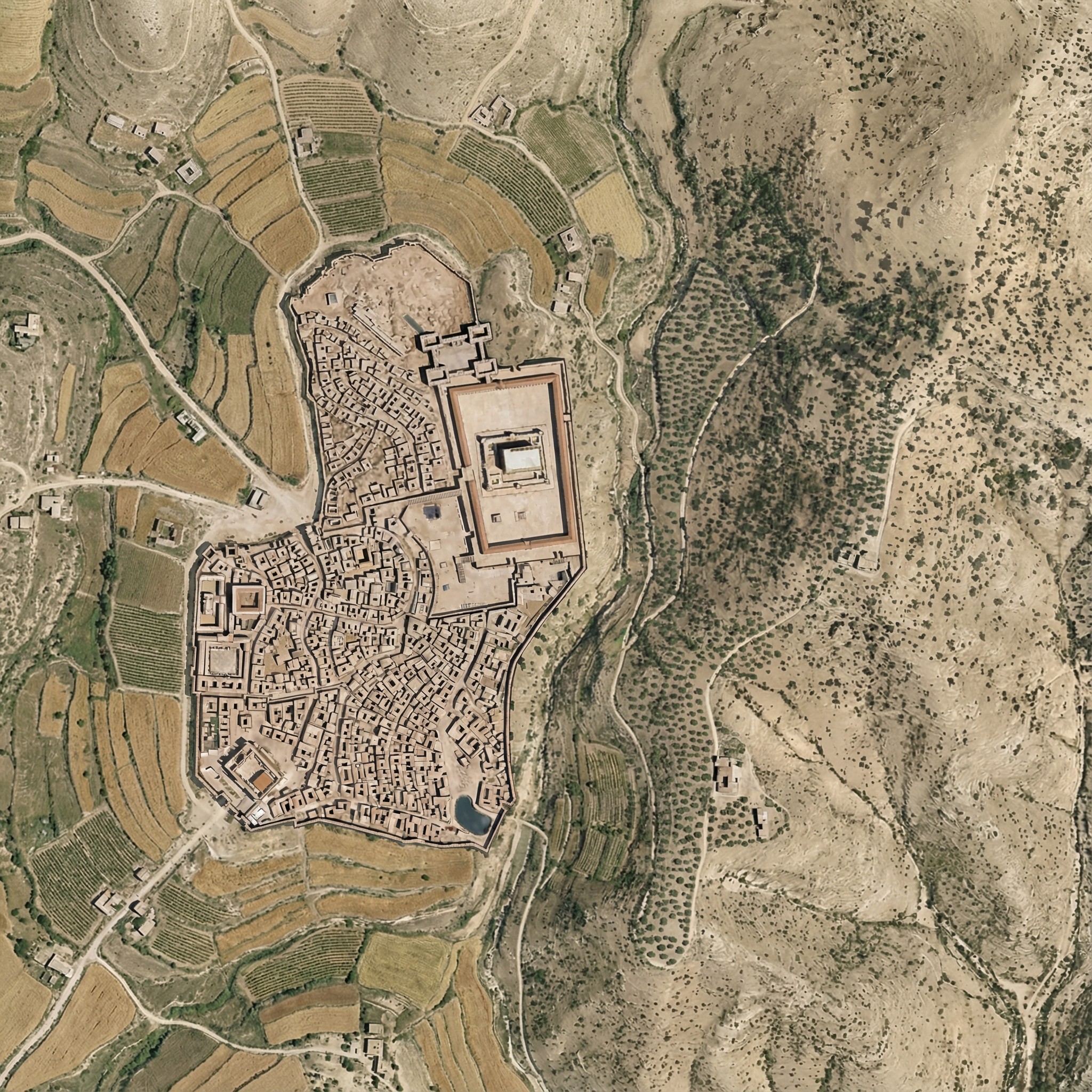
Here the rewilded landscape is misleading—during the time of Jesus (which the above image depicts), the area around Jerusalem was less forested than this image suggests. The area included agriculture, roads, pasturelands, and other changes introduced by humans.
Below is my attempt at using Nano Banana Pro to convey this human activity. It regraded the whole image slightly, and the roads aren’t exactly right. I also don’t think the Hinnom Valley south of the city would have this much agriculture. The terraced agriculture is a nice touch, though, since I spent so much time getting rid of terraces in the original image.
Here was my prompt:
Right now, this Roman-era city of Jerusalem feels pasted on, because it is. Integrate the feel of the city so that it integrates into the rest of the landscape.
Also add ancient roads and small-scale agriculture (think wheat barley, olives, and vineyards), reducing the forested area. Don’t have agriculture immediately outside the city walls. Especially include cultivated olive groves on the Mount of Olives across the gully to the east of the city.
Add a few small structures and villages in the area outside the walls (isolated farmhouses, etc.) that are appropriate for the time.
Make sure there’s a way to get into the city from the west (left) near where the walls make a “J” shape.
Keep the rest of the landscape as-is and don’t adjust the overall lighting or colors of the scene, just of the city.
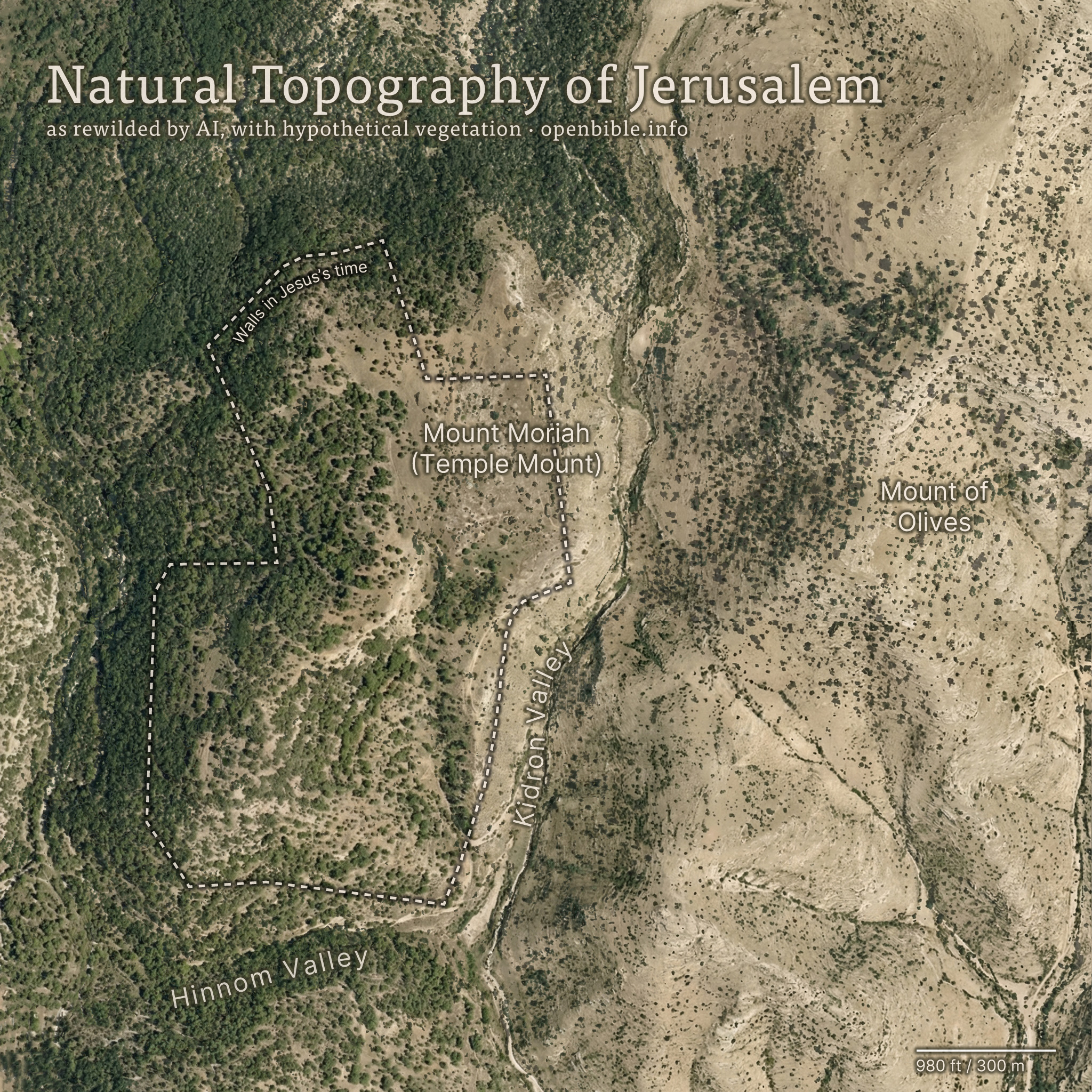
Nano Banana Pro can rewild photos of archaeological sites with AI; it can also create rewilded maps. For example, here’s a fake satellite view of the Jerusalem area with all structures, roads, and anything human-created removed:
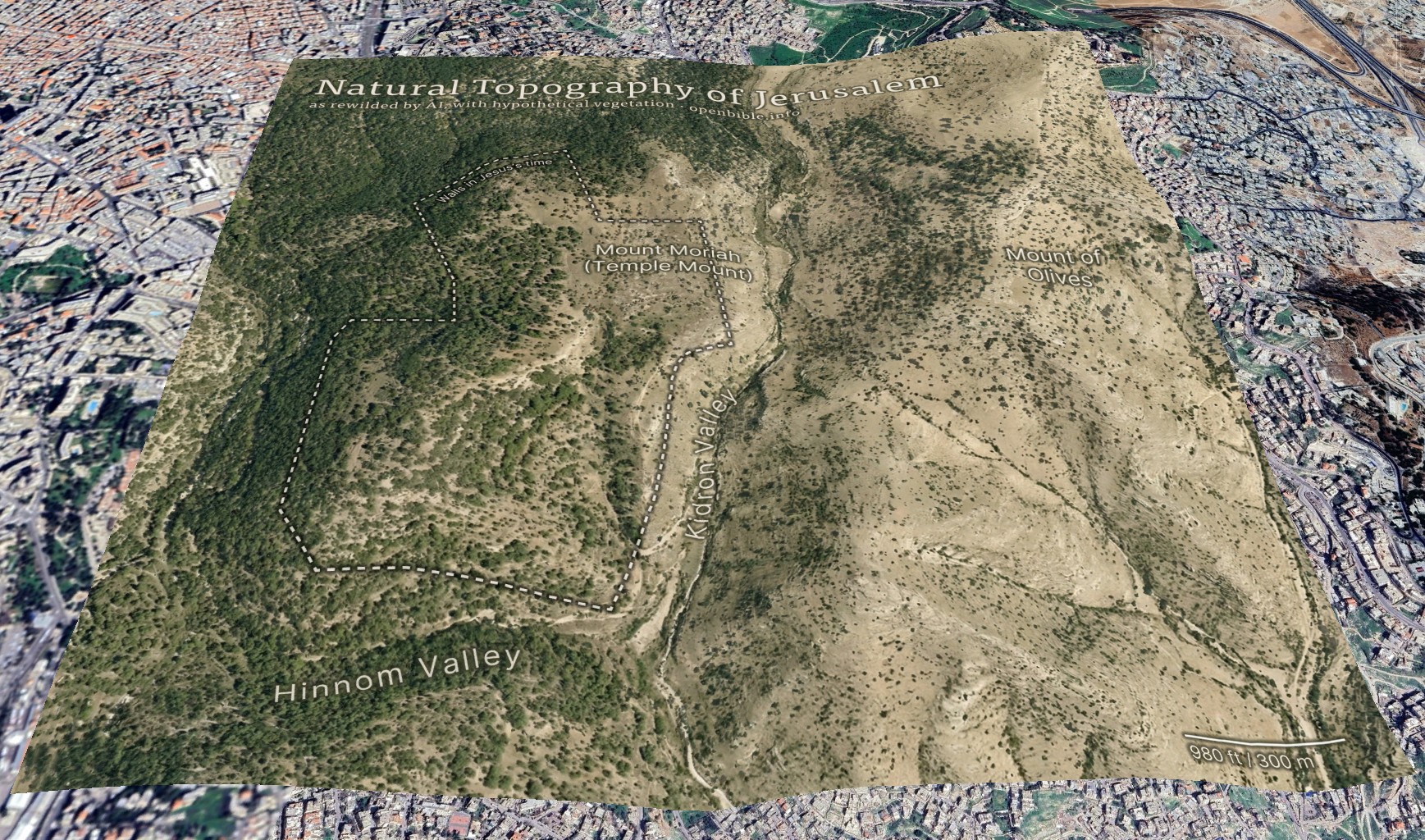
And georeferenced in Google Earth:
AI enables creating this kind of map in a few hours, rather than the weeks it would have taken using traditional methods.
The effective resolution of this image is about 1.2m per pixel, equivalent to a high-resolution (and therefore expensive) satellite photo. (A true satellite photo would show mostly urban development here, of course, and wouldn’t be terribly useful for visualizing the underlying landscape.) The topography is mostly accurate; the vegetation coverage is speculative.
Methodology
First, I needed a relatively high-resolution topography for the area around historical Jerusalem: approximately 2.3km by 2.3km (about 2 square miles). The highest-resolution free Digital Elevation Models are 30m per pixel, which at this latitude gives a grid of about 100 x 100 elevation pixels. While that may not sound like a lot, it’s enough to create a final 2,048 x 2,048-pixel image—but the low resolution of the source data also reinforces how much the AI is inventing fine surface detail.
I started with the GEDTM30 global 30m elevation dataset (which, as a DTM, aims to give bare earth elevations, excluding buildings and landcover). Using these instructions, I created 5m contour intervals in QGIS and exported them to a png. I compared these contours with 5m GovMap contours; they differed in some details but were plenty close enough for this purpose.
Here’s where Nano Banana Pro came in. I gave it the contours and the following prompt (the “text” in the prompt refers to the contour elevation labels):
This is a detailed map of the area around Jerusalem. Convert it to an overhead aerial view. Preserve all the topography exactly. Remove all text. Apply landcover (especially trees and scrub) in a naturalistic fashion and show bare dirt, light scrub, and trees where hydrologically appropriate.
Smooth out all the elevation lines—there are only smooth hills, no terraces or cliffs. Use the elevation lines as a reference, not to create terraces. No terraces should be visible at all; just smooth them out.
The idea is to make it look natural, without any human developments.
As you can tell from my pleas in the prompt, Nano Banana Pro really liked making terraces (since the contour intervals look like terraces). I ended up generating twenty-four iterations but used the seventh one because it preserved the topography of the City of David especially well. Each generation had different pluses and minuses—some were better at color, some at vegetation, and some at hydrology. That’s part of the beauty of using AI: it allows rapid iteration and many generations at low cost. This project cost about $5 in total.
I also explored giving it a version of the DTM itself (with the elevations scaled to grayscale values 25 through 244), as well as a hillshaded version. Nano Banana Pro gave me roughly comparable results for each, but I preferred how the contour versions turned out.
With a 2,048 x 2,048-pixel png in hand, it was time for Photoshop. I used the spot healing brush extensively to remove visible terraces. I also went back to Nano Banana Pro to generate trees and scrub for certain areas, brought in parts of other discarded generations, and used Photoshop’s built-in generative features in some places. You can definitely see artifacts from my editing if you look closely at the finished map. I also added an exposed rock (just visible under the “m” in “Temple” in the above map) where the Dome of the Rock now stands.
Then it was off to Illustrator to add the text and the outline of the city walls. ChatGPT gave me a few pointers to refine the look.
Finally, I georeferenced the map in Google Earth and consequently adjusted some of the wall placement in Illustrator to align the wall more precisely with structures that are still visible today.
Discussion
I’ve never used an AI + real data workflow like this one before. It would’ve been prohibitively time-consuming to create this map without AI, which is part of the ethical question around using AI. Did I “steal” the hundreds or thousands of dollars I might otherwise have paid a cartographer-artist to create this map? More realistically, I never would have created it at all.
The map’s high degree of realism could lead people to believe that it reflects reality more than it does; at first glance, you could easily take it for a real satellite photo. The landscape that it depicts never looked exactly like it does in the map. This combination of extreme realism with plausible hallucinations captures the current state of AI in a nutshell: it looks real, but it isn’t.
The map depicts a pre-human landscape (thus the “rewilding”). Biblically, it’s closest to how it might have looked in Abraham’s time, before subsequent urbanization. But even during his time, there still would be settlements, visible footpaths, grazing areas, small-scale agriculture, and potentially less forest.
Nano Banana Pro’s interpretation of the elevation data is reasonable. I feel like it made some of the eastern hills ridgier than they are in reality, however.
It also did a good job with the trees and scrub, though they’re much more speculative than the topography. I chose, artistically, to forest the western half of the map more than the eastern half, since Jerusalem approximately marks where denser vegetation in the west would yield to sparser vegetation in the east. I may have gone too far in either direction—too much forest in the west and too little vegetation in the east.
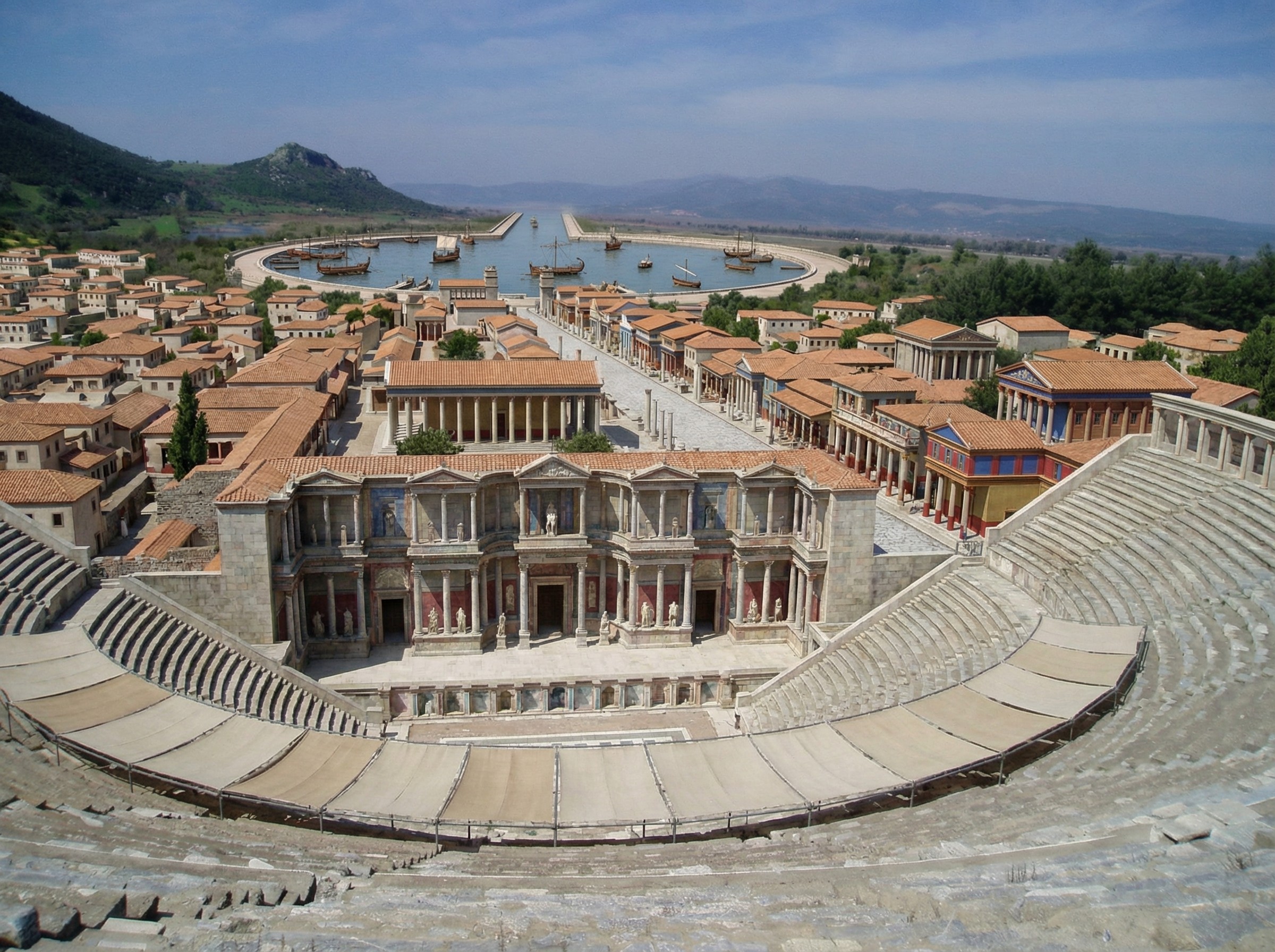
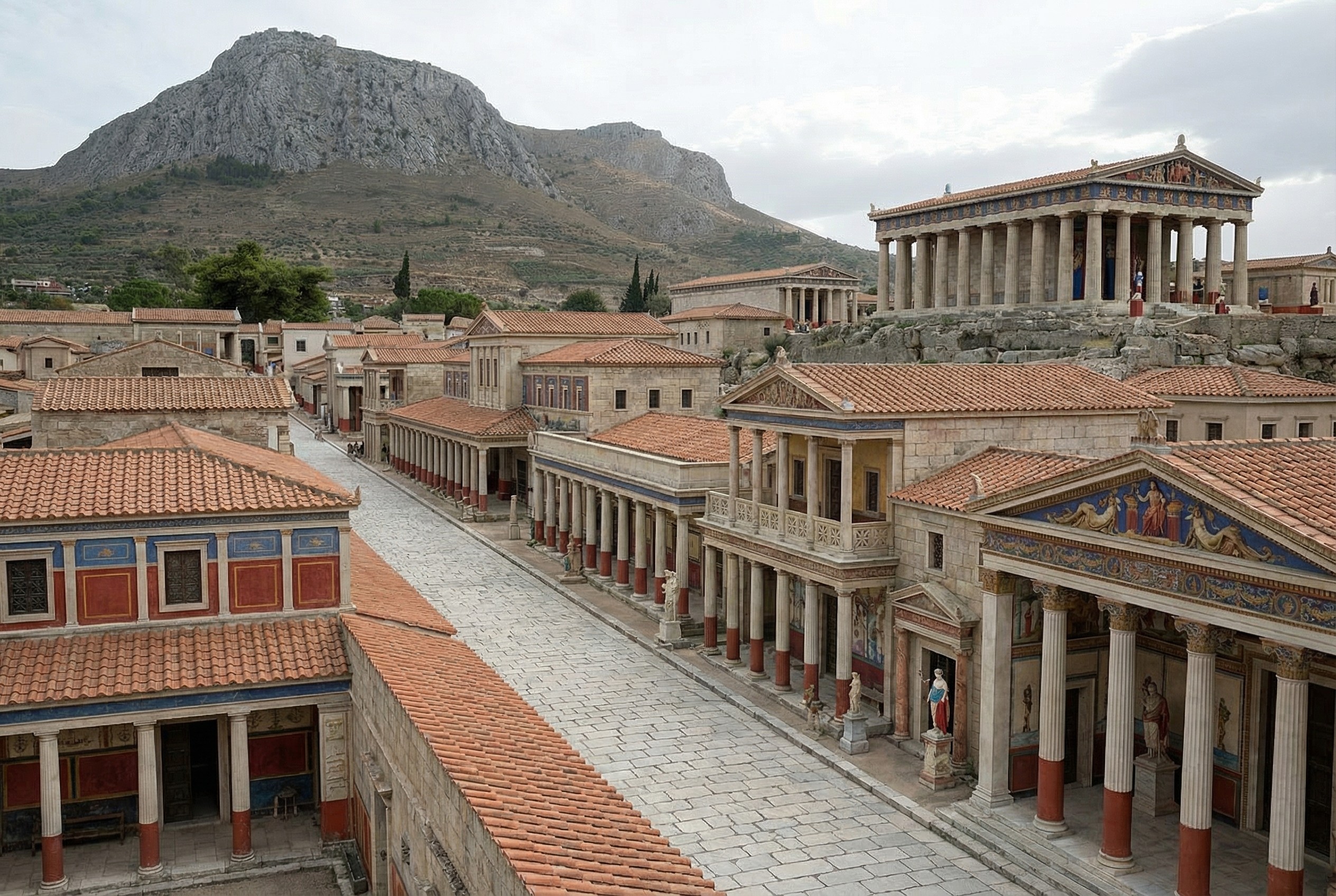
In addition to reconstructing archaeological sites from photos, Nano Banana Pro can do the opposite: it can rewild them—removing modern features to give a sense of what the natural place might have looked like in ancient times. Where reconstruction involves plausible additions to existing photos, rewilding involves plausible subtractions from them. In both cases, the AI is producing “plausible” output, not a historical reality.
Mount of Olives
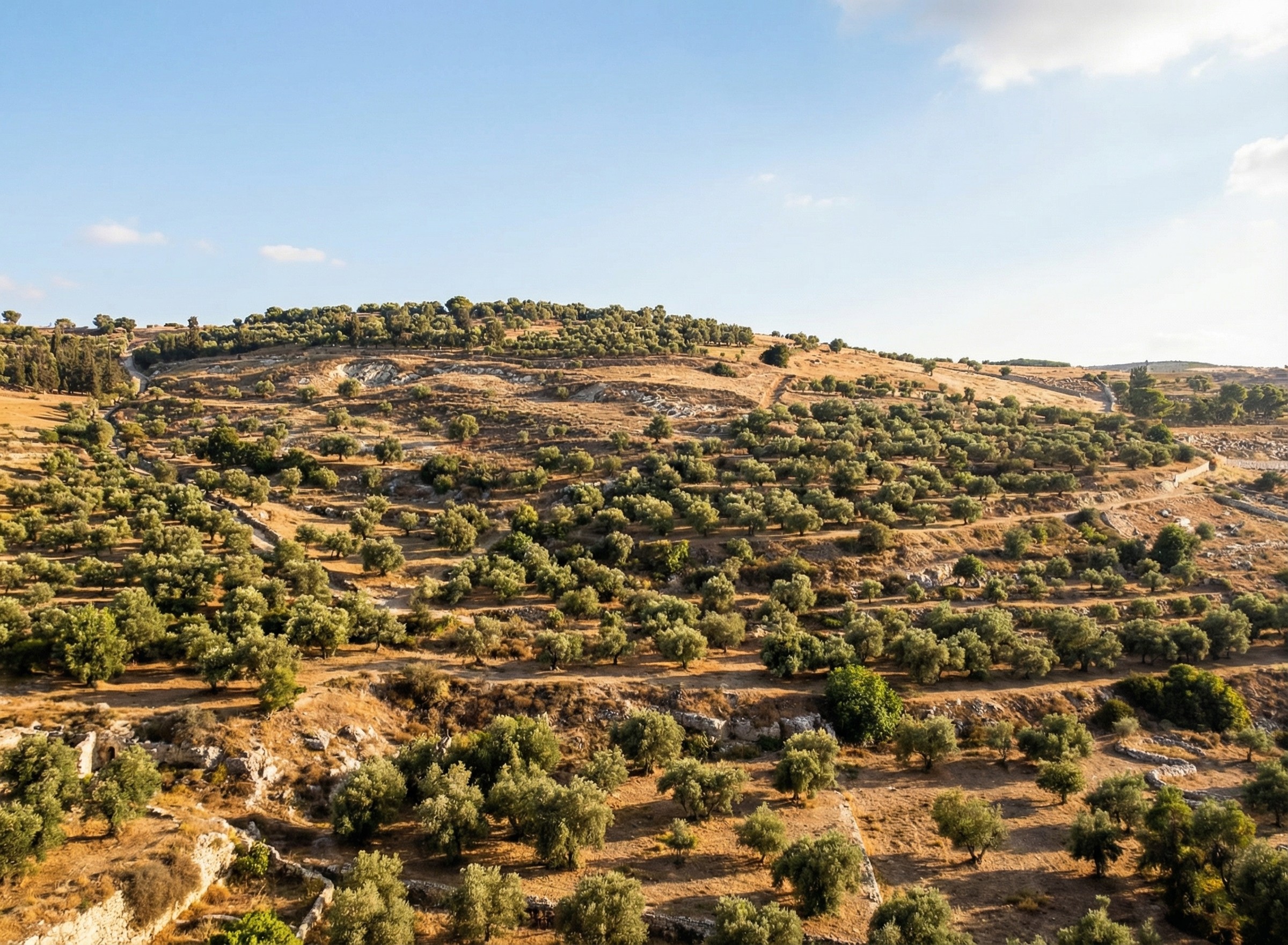
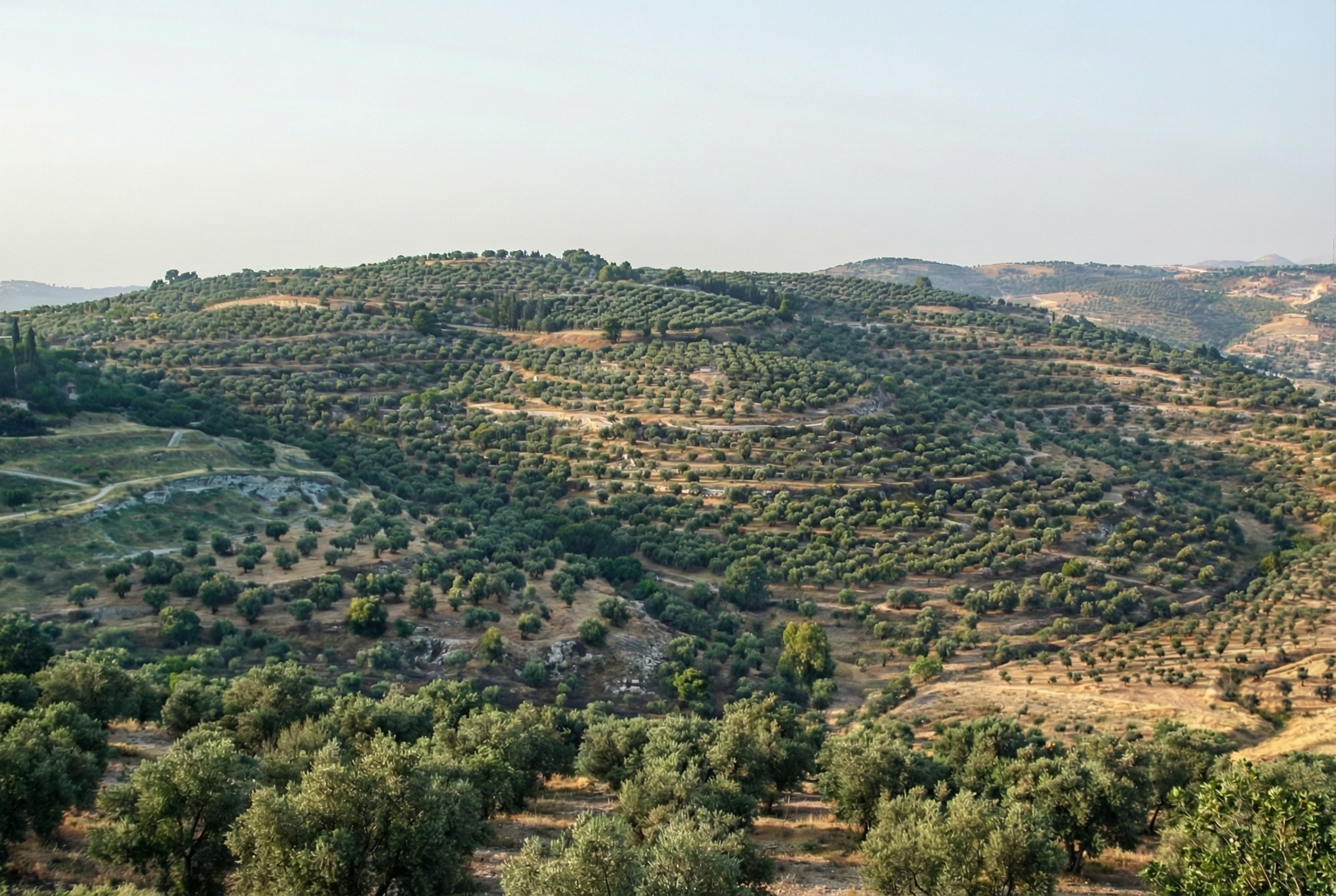
For example, the modern Mount of Olives has many human-created developments on it (roads, structures, walls, etc.). My first reaction to seeing it in person was that there were a lot fewer olive trees than I was expecting, and I wondered what it would’ve looked like 2,000 years ago.
Nano Banana Pro can edit images of the Mount of Olives to show how Jesus might have seen it, giving viewers an “artificially authentic” experience. It’s “authentic” by providing a view that removes accreted history, getting closer to how the scene may have appeared thousands of years ago. It’s “artificial” because these AI images depict a reality that never existed, combined with a level of realism that far outshines traditional illustrations. Without proper context, rewilded AI images could potentially mislead viewers into thinking that they’re “objective” photographs rather than subjective interpretations.
Rewilded Mount of Olives
The first image below is derived from a monochrome 1800s drawing of the Mount of Olives, which allowed Nano Banana Pro to add an intensely modern color grading (as though post-processed with a modern phone). The second is derived from a recent photo taken from a different vantage point.
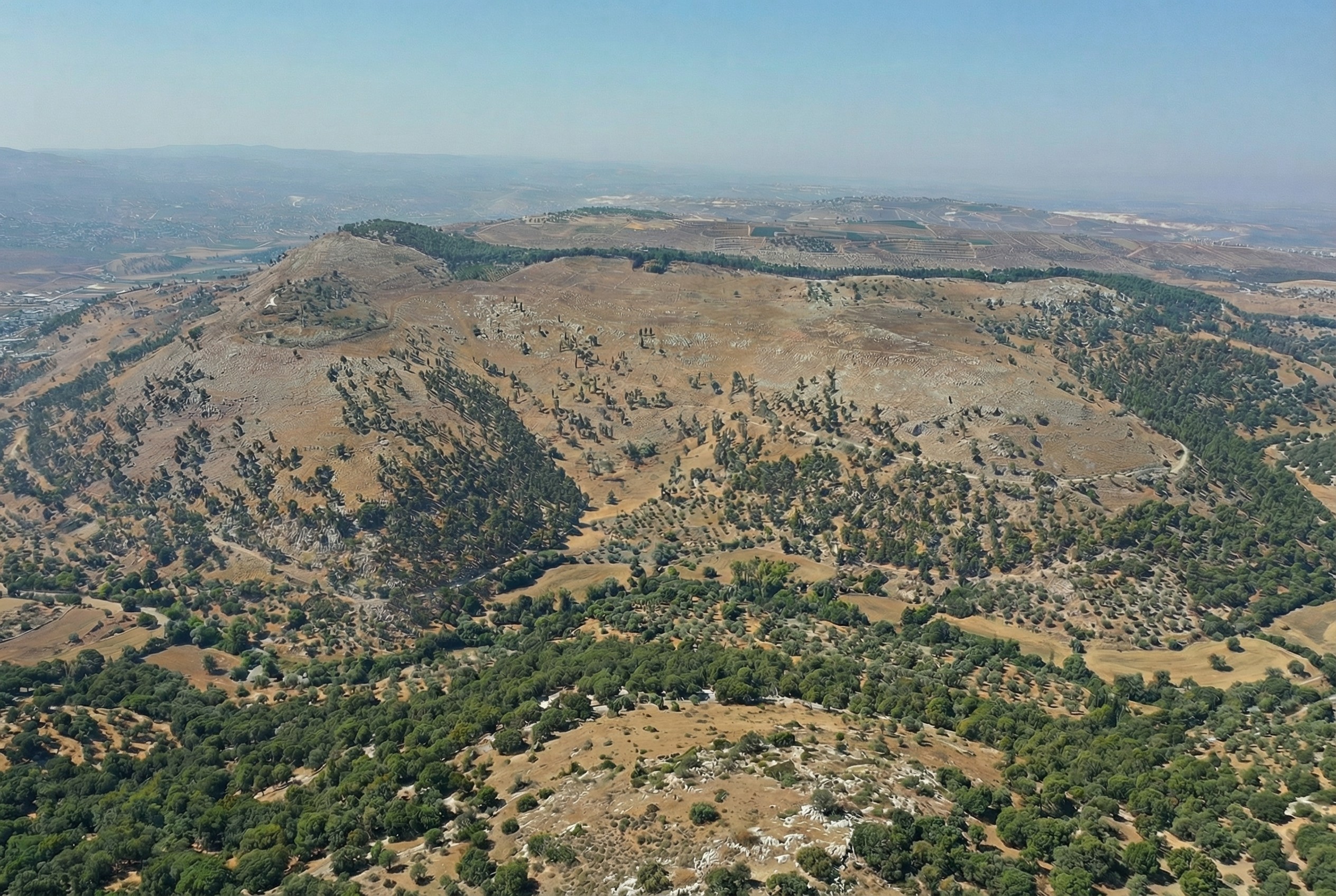
Similarly, here’s Mount Gerizim, minus the modern city of Nablus. Nano Banana Pro didn’t completely remove everything modern, but it got close. If I were turning it into a finished piece, I’d edit the remaining modern features using Photoshop’s AI tools (at least until Google allows Nano Banana Pro to edit partial images).
This process only works if existing illustrations or photos accurately depict a location. If I owned rights to a library of photos of Bible places, I’d explore how AI could enhance some of them (with appropriate labeling), either through reconstruction or rewilding. A before/after slider interface could help viewers understand the difference between the original photos and the AI derivatives, letting them choose the view they want.
Restoration (using original or equivalent materials to restore portions of the original site) is another archaeological approach that AI could contribute to, but the methods there would be radically different.
Nano Banana Pro did its best job at converting the Mount of Olives illustration, in my opinion. I wonder if doing multiple conversions (going from a photo to an illustration and then back to a photo) could yield consistently strong results.
Nano Banana Pro does a plausible job of turning a real photo of an archaeological site into what the photo might have looked like if you’d taken it from the same vantage point thousands of years ago. You can imagine an app running on your future phone that lets you turn your selfies at historical sites into realtime, full-blown reconstructions (complete with changing your clothes to be historically appropriate).
Here’s a reconstructed view of Ephesus (adapted from this photo by Jordan Klein). I prompted it to add the harbor in the distance, which no longer exists in the modern photo.
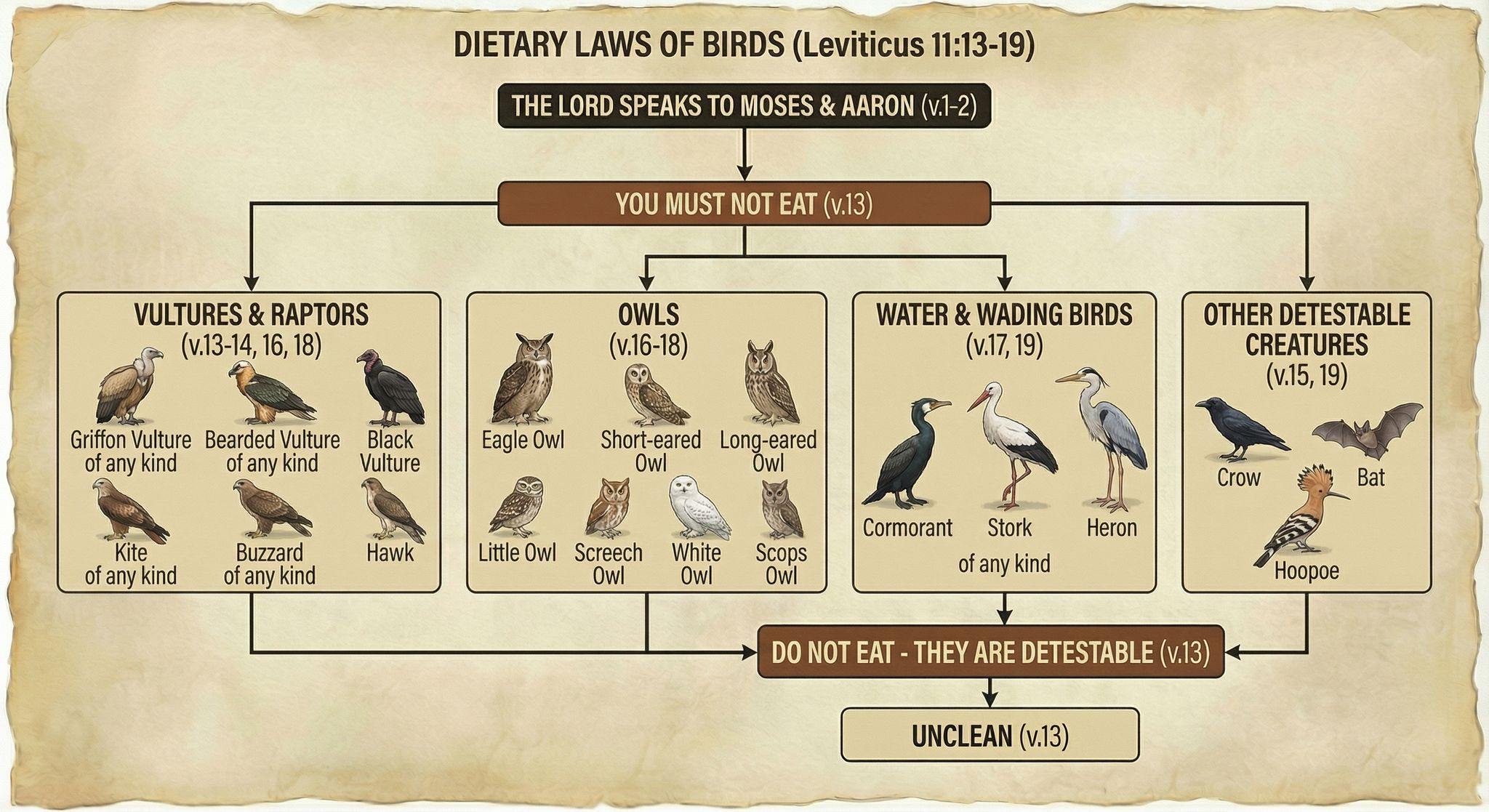
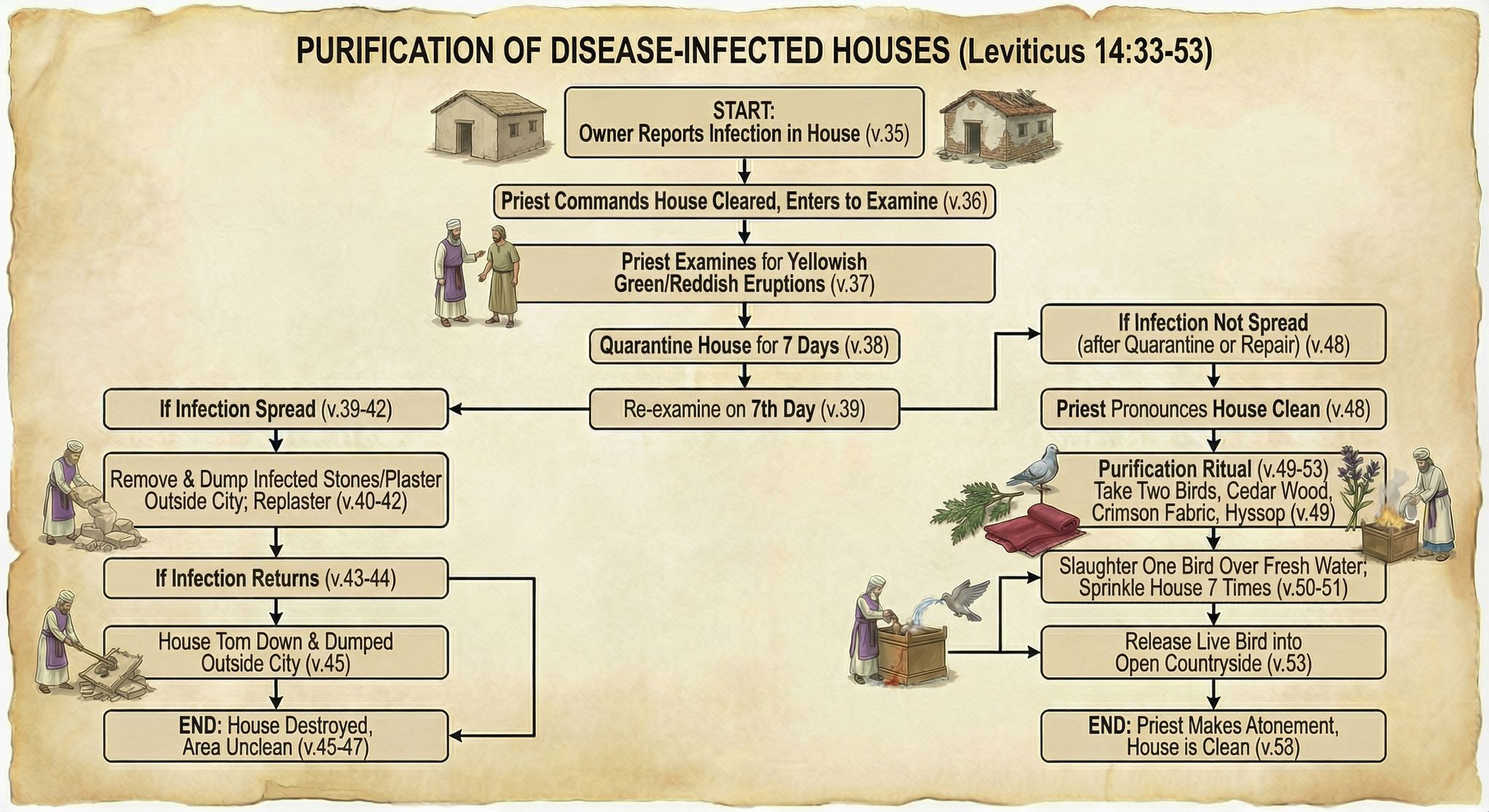
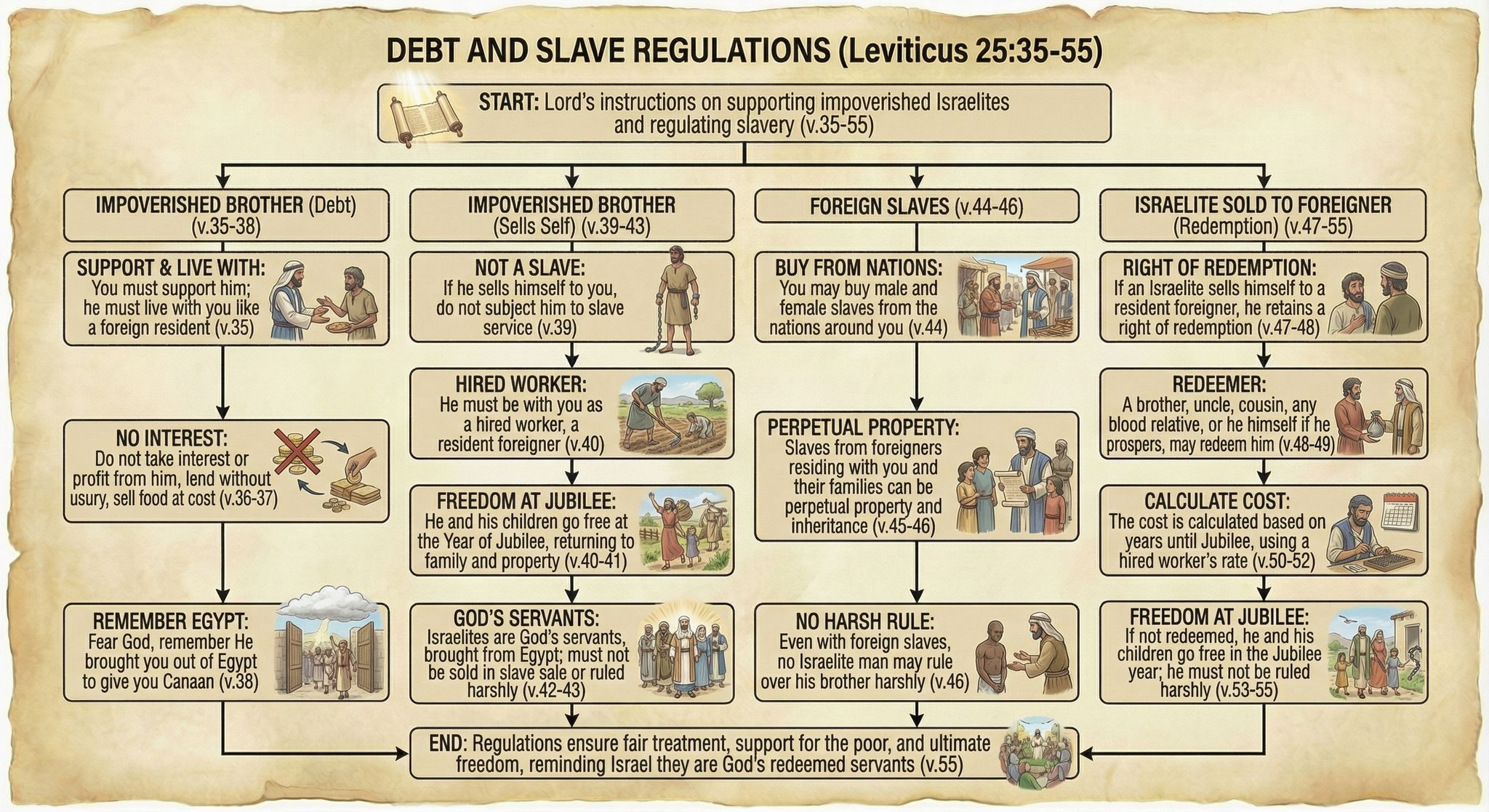
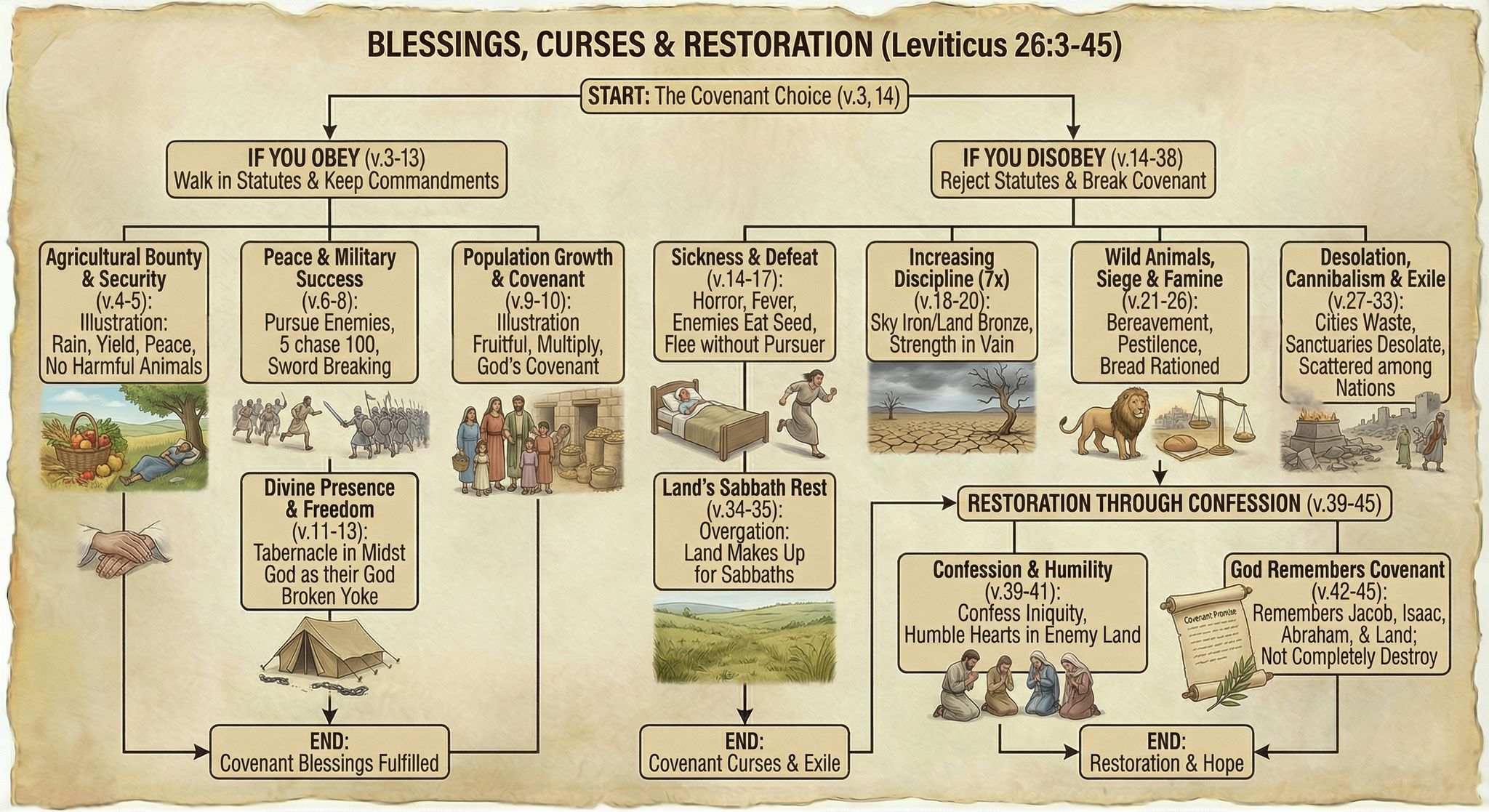
Leviticus probably isn’t your favorite book of the Bible, with its long lists of cleanliness regulations and priestly procedures. But I’ve long thought that the natural format for Leviticus is the flowchart: do this, then this, then this. A flowchart makes the prose much easier to follow. So I spent about thirty minutes a week over the past year turning Leviticus into a series of flowcharts by hand.
However, with Nano Banana Pro, I was able to make more progress in an afternoon than I had in a year—going from raw Bible text to finished flowcharts in four hours. I didn’t even use any of the work I’d done over the past year.
Here are some examples of finished flowcharts:
Methodology
I first generated some test flowcharts to get a visual style I liked. I wasn’t planning on the illustrations being so friendly, but Nano Banana Pro came up with a clear and pleasing style, so I went with it.
My first thought was to display all the Bible text—NBP could actually handle it—but the summary view I ended up with was easier to follow, visually.
From there, it was mostly a matter of choosing logical verse breaks for each flowchart, which ChatGPT helped with. I then used this prompt and gave it a previously generated flowchart as a style reference:
Create an image of a flowchart for Leviticus [chapter number] (below). Use the image as a stylistic model. Match its styles (not content or exact layout), including text, arrow, box, and imagery styles. Structure your flowchart so that it fits the content. Integrate the images into the boxes themselves where appropriate; they’re not just for decoration. Present a summary, not all the text. Indicate relevant verse numbers, and include the specific verse numbers in the title, not just the chapter number. Never depict the Lord as a person.
[Relevant Bible text]
Often it took two or more tries to get the look I wanted, or to ensure that it got all the logic right. I originally wanted to have all the clean/unclean animals on one flowchart, for example, but I couldn’t get the level of detail I was going for. So they’re broken up by animal type into multiple flowcharts.
On the other hand, even when I forgot to adjust the chapter number in my prompt, NBP would still show the correct chapter number in the output—it knew the chapter I meant, not the chapter I said.
All the image resizing and metadata work on my side to prepare the final webpage was vibecoded. It wasn’t hard code, but it was even easier just to explain to ChatGPT what I wanted to do.
Discussion
These flowcharts are better than I could have executed on my own and only took about four hours to create, from start to finish. By contrast, my earlier, manual process involved taking notes in a physical notebook, and I’d only made it to Leviticus 21 after twenty hours of work. Turning those notes into a finished product would’ve taken perhaps another 100 hours. So I got a better product for 1/30 the time investment, at a cost of $24 to generate the images.
Those twenty hours I spent with Leviticus weren’t lost, as ultimately any time spent in the Bible isn’t. In generating these flowcharts, I already had an idea of what the content needed to be and that it worked well in flowchart form.
But still, I didn’t add much value to this process. Anyone with a spare $24 could’ve done what I did. I expect that people will create custom infographics for their personal Bible studies in the future—why wouldn’t they?
The main risk here involves hallucinations. NBP sometimes misinterpreted the text, and the arrows it drew didn’t always make sense. I reviewed all the generated images to cut down on errors, but some could’ve slipped through.
As you can tell from my recentblogposts, I think that Nano Banana Pro represents a step change in AI image-generation capability. It unlocks whole new classes of endeavors that would’ve been too costly to consider in the past.

.jpg)


